
The following page was printed from remotecentral.com:
Before you continue!This file area has been replaced with a newer one! This section is no longer being updated and is presented for archival purposes only. As it becomes increasingly out of date, some files may show as unavailable. For free access to all of these downloads and many newer ones, visit our NEW file area at: http://files.remotecentral.com
You are currently browsing through the Philips Pronto & ProntoPRO, Marantz RC5000, RC5200 & RC9200, Onkyo CHAD and Yamaha RAV-2000 file area. To return to the beginning click here. |
|
[ < Back | Next > ]
[ Page: 1 ] |
Sort by: [ Title | Date | Author ] |
|
|
|
|
Mitsubishi Television CS-27201 For: Philips TS-1000 By: Paul Miller | Part of a complete system CCF file. |
|
|
Onkyo Receiver TX-DS676B For: Philips TS-1000 By: Paul Miller | Part of a complete system CCF file. |
|
|
Philips DSS Receiver DSR6000T For: Philips TS-1000 By: Paul Miller | DirecTV receiver and TiVo recorder (on code 2). Part of a complete system CCF file. |
|
|
Sony CD Changer CDP-C715 For: Philips TS-1000 By: Paul Miller | Part of a complete system CCF file. |
|
|
Sony DVD Player DVP-S3000 For: Philips TS-1000 By: Paul Miller | Part of a complete system CCF file. |
|
|
|
|
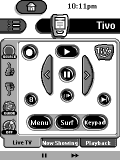 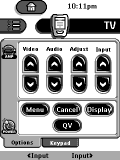
For: Philips TS-1000 By: Paul Miller | Paul Miller's Pronto Setup This is an update to my previous configuration, mostly for improving the usability of the Tivo and DirecTivo. The "Live TV" tab will now toggle you in and out of Live TV. I added an "Enter" button to the Menu page, in case you needed Enter while navigating (this came up today when I needed to do the Tivo 3-thumb-down+Enter combo to get the unit to restart). I also added a "Tuner" button to the DirecTivo Live TV page so you can switch tuners while watching Live TV using the dual-tuner 2.5 Tivo software. Finally, I fixed the "Now Playing" tab to work with the 2.5 Tivo software release. |
|
|
Return to the index of all files,
or search for even more files by this author. |
|
|
Share with the remote control community
by uploading a file to Remote Central!
| 









