The following page was printed from remotecentral.com:
Before you continue!This file area has been replaced with a newer one! This section is no longer being updated and is presented for archival purposes only. As it becomes increasingly out of date, some files may show as unavailable. For free access to all of these downloads and many newer ones, visit our NEW file area at: http://files.remotecentral.com
You are currently browsing through the Philips Pronto & ProntoPRO, Marantz RC5000, RC5200 & RC9200, Onkyo CHAD and Yamaha RAV-2000 file area. To return to the beginning click here. |
|
[ < Back | Next > ]
[ Page: 1 ] |
Sort by: [ Title | Date | Author ] |
|
|
Jerrold Cable Box CDT-2100 (Remote model RC-OSD) For: Philips TS-1000 By: Craig Barnes | Part of a complete system CCF file from the UK. |
|
|
Kenwood Midi System M-97M (Remote model RC97M) For: Philips TS-1000 By: Craig Barnes | Includes DP-M87 CD Player, X-87 Tape Deck, P-87 Turntable. Part of a complete system CCF file from the UK. |
|
|
Lasonic DVD Player DVD2000 (Remote model R2000) For: Philips TS-1000 By: Craig Barnes | Part of a complete system CCF file from the UK. |
|
|
Panasonic Television TX-36PF10 (Remote model EUR511220) For: Philips TS-1000 By: Craig Barnes | Part of a complete system CCF file from the UK. |
|
|
Sony Receiver STR-DB940 (Remote model RM-LJ304) For: Philips TS-1000 By: Craig Barnes | Part of a complete system CCF file from the UK. |
|
|
Sony VHS VCR SLV-SE850 (Remote model RMT-V259P) For: Philips TS-1000 By: Craig Barnes | Part of a complete system CCF file from the UK. |
|
|
Network Logos - Craig Barnes' Sky Digital & ITV Logos Fairly up-to-date with 171 icons. Previews below are shown smaller than original size. |
For: Philips ProntoPro By: Craig Barnes | |
|
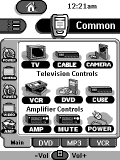 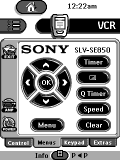
For: Philips TS-1000 By: Craig Barnes | Craig Barnes' UK System Complete CCF based on Daniel Tonks' current file. All UK models. |
|
|
Return to the index of all files,
or search for even more files by this author. |
|
|
Share with the remote control community
by uploading a file to Remote Central!
|