The following page was printed from RemoteCentral.com:
Before you continue!
This file area has been replaced with a newer one! As of 2011, this section is no longer being updated, and some files may show as unavailable. For free access to all of these downloads and many newer ones, visit our NEW file area at: http://files.remotecentral.com
You are currently browsing through the Complete Control MX-6000, MX-3000, MX-980, MX-880 and MX-810 file area. To return to the beginning click here.
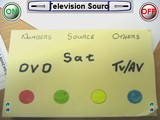
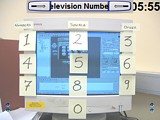
This is a page transition that I put together using Paint Shop Pro. Upon touching the screen it will change into another screen. I have four pages that morph into another. This took about 30 minutes to put together.
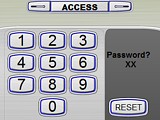
I programmed this for a client and thought some of you may find it usefull. Basically this small modification allows you to assign a 4 digit passcode to your MX-3000. Every time you press the "Main" hard button it will take you back to the logon screen where you punch your 4 digit code to access the remote control. The passcode on this file is set to "2255". Includes sounds and advises of wrong code after a wrong code is entered. The passcode can be changed by simply modifying the button properties in the "a" page of "Main" and pages "b,c & d" of the device "Access" - You can also reconfigure the last button (in page "d") of the code sequence to jump you elsewhere besides the main page (move page "a" elsewhere and unhide "page1" of "Main") and thus creating only an area of the remote to be pin coded - this will allow for some rated R programming for instance. If you need assistance getting this to do what you want, you may email me and I will assist.