|
 |
|
|
Microsoft HTPC Windows Media Center Edition 2005 (Remote model Dell 8400) For: Philips ProntoPro NG By: Dave D'Arche | Learned codes for Windows Media Center 2005. Codes only, no graphics. |
|
|
Microsoft HTPC Windows Media Center Edition 2005 For: Philips ProntoPro NG By: Chris Fink | Part of a complete color system PCF file. |
|
|
Microsoft HTPC Windows Media Center Edition 2005 (Remote model X801143-102) For: Philips ProntoPro NG By: Matt Herre | This is Microsoft's remote for Media Center 2005. There are 2 different layouts. You will notice there are no volume up/down or channel up/down as I've used hard buttons. Thanks to Martin and his gallery of icons and things which I used for this. Don't forget to go into your system registry and do a search for EnableDebounce and change all instances from 1 to 0 or this will not function right. And yes I realize not everyone is a Yankees fan, it's just what I am using now! |
|
|
Microsoft HTPC Windows Media Center Edition 2005 For: Philips ProntoPro NG By: Craig Nix | Part of a complete color system PCF file. |
|
|
Microsoft HTPC Windows Media Center Edition 2005 For: Philips ProntoPro NG By: Craig Nix | Part of a complete color system PCF file. |
|
|
Microsoft HTPC Windows Media Center Edition 2005 (Remote model X801143-102) For: Philips ProntoPro NG By: Daniel Pepermans | I wanted an interface with familiar graphics so decided to base my design on the MCE start page. Some graphics are mine (power button, hard key icons, transport and keypad buttons, menu text) and some are borrowed. I'm going to improve on this design once I've used it enough and can come up with some better ideas. In the near future I'll give all my devices a similar look and will post a complete system PCF then. |
|
|
Microsoft HTPC Windows Media Center Edition 2005 (Remote model RC1534002/00) For: Philips ProntoPro NG By: Daniel Tonks | A complete layout for this device with separate IR code page. Note that you will need to make the "EnableDebouce" change for this configuration to work correctly (search the forums). Part of an original color system PCF file. |
|
|
Microsoft HTPC Windows Media Center Edition 2005 V2 (Remote model X801143-102) For: Philips ProntoPro NG By: Stephane Lapointe | This file include learned IR hex code from a Microsoft Media Center 2005 v2.0 remote control. No remote interface is included, only the IR codes. |
|
|
|
|
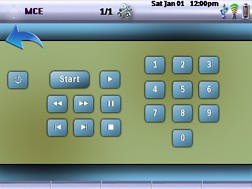
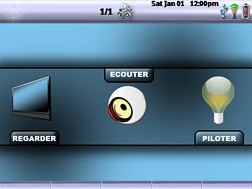
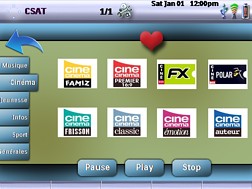
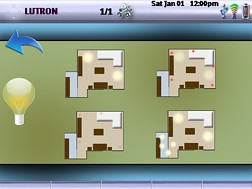
For: Pronto TSU9600 By: Jean-Michel Rendu | Contest Entry #06: Simplicity My user interface is called Simplicity, and it provides easy control over environment lighting through the Pronto�s hard buttons � which are also used to provide easy channel time shifting with only three keys, Pause, Play and Stop (the DVR is not directly accessible and is only used for time shifting). The Canal Satellite layout is full of favorite channels sorted by genre. Graphics are particularly easy to understand.Advanced macros will turn on necessary devices (plasma TV, DVD, amplifier, etc.) and turn off unused ones (DVR, etc.) whenever a video source is selected, while selecting audio will turn off video devices (DVR, etc.) and power the amplifier. |
|
|
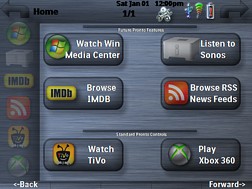
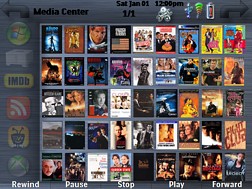
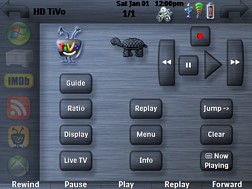
For: Pronto TSU9600 By: Carlton Bale | Contest Entry #11: Alpha King Brew The name is derived from one of my favorite beers, Three Floyds Alpha King Pale Ale. The design makes heavy use of Alpha channel transparency, allowing every button and panel to take on the color and texture of the main background image. This allows a user to completely change the look and feel simply by changing one background graphic � zero button modifications required. The idea is to have quick and simple modification without having to redesign every single graphic. Included are multiple button designs (flat and rounded) in a large array of sizes and shapes. Shadow effects make the buttons appear to float above the panel; the buttons appear to sink when depressed.The Alpha King Brew design also shows �the art of the possible� for the Pronto Pro should Philips decide to expand the feature set. This design includes mock-ups for potential features, such as 2-way control of Windows Media Center (with Cover Art download) and Sonos (through uPnP) as well as the ability to read RSS News Feeds from any Internet source. Also included is a mock-up of a PC application that parses Internet Movie Database results and sends them to the Pronto Pro (assuming that Philips releases 2-way communication protocols to third party developers.) |
|
|
Device Modules - Windows Media Center For: Pronto TSU9600 By: Stefan Johansson | ProntoScript based device file that utilizes the freeware MCEController to control Windows Media Center. |
|
|
|
|
Philips iPronto - Philips iProntoEdit For: Philips iPronto | v2.6.3 Philips' ICF editing software for use with the full-color iPronto TSi6400 remote control. This update allows disabling of the Tools Bar for full-screen editing capabilities. Remote firmware version 1.9.4 or above required (adds support for Somfy and Windows Media Center Edition codes; fixes the "wake up" problem with complex WiFi environments). |
|
|
|
|
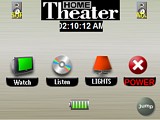 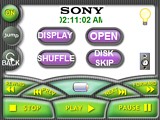
For: URC MX-3000 By: Dave Grace | Grace Family Home Theater This is an updated file to my original posting. I have made many refinements to the system and how it is controlled. This is a dedicated theater room, with two level seating and a martial arts decor. I have included screen shots of most of my remote control schema. |
|
|
Microsoft HTPC Windows Media Center Edition For: URC MX-3000 By: Dave Grace | Part of a complete system RCC file. |
|
|
|
|
Microsoft HTPC Windows Media Center For: HTM MX-700 (Device) By: Alex Limberis | These are codes for the Microsoft Media Center PC. See notes for details. |
|
|
More results: [ < Back | Next > ]
Return to the index of all files. |










