|
 |
|
|
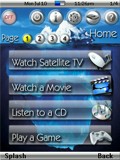 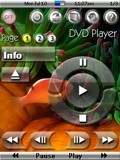
For: Marantz RC9500 By: Scott Grimes | Scott Grimes' System PCF Version 4.1 All of the graphics have been completely redone again � this time I managed to give them a glass-like look. The transport buttons are based on Mike Ventimiglia�s �Envision� design, however, they have also been redone from scratch and given a glass-like appearance. The icons at the top of each device are loosely based on John Sollecito�s design. I even designed a new battery icon which turned out quite nicely. I am an avid SCUBA diver and so the background pictures are themed after this. I have included the original generic background pictures if you wish to use them instead. I completely overhauled the underlying layout of the configuration file and moved the IR codes sections out from each of the devices. The reason I did this was to better access these hidden sections from the remote itself. There is, however, an access code required to enter the macros and IR codes area. It is set as �1, 2, 3, 4, Enter� and can easily be changed to whatever you wish. You can access this area by pressing the �setup� icon an then choosing the �IR Codes & Macros� button. This time I am made a modified version of my PCF file for those with the Pronto version of these excellent... (more) |
|
|
IR Programs - IR Code Generator For: All Models By: Paul Friedlander | I threw this utility together to generate Pronto codes from the IR codes that Denon publishes on their website. I suspect that it will work with any Sharp coding, although I haven't tried it. There are codes in the Denon docs that aren't available on the remote, so this opens up some new options. To use it, enter the bit stream into the 4 input boxes. They are (from left to right) System Address (C1-C5), Data (c6-C11), Extension(C12, C13), and Data Construction (C14, C15), as described in the Denon documents. Then click Calculate (or press the enter key). The Pronto code will be shown in the lower window. It is also automatically copied to the clipboard so you can quickly paste it into the Pronto editor. Note: you should always set C15, and C15 to '00'. |
|
|
Ikea Lighting Koppla For: Philips Pronto NG By: Siegfried Schott | A Microsoft Excel sheet for generating codes for the IKEA KOPPLA set of RF switches. |
|
|
Microsoft Game System Xbox 360 For: Philips Pronto NG By: Jason Nagy | This is a complete (as far as I can tell) listing of learned IR codes for the Xbox 360. I compiled this list from all available flies and tweaked some from media center remotes. I tested everything I could and it seems to work fine. Please feel free to send suggestions or improvements to my email. Have fun! |
|
|
Microsoft Game System Xbox 360 For: Philips Pronto NG By: Tokuro Yamashiro | Codes learned from the remotes that comes with the premium system. |
|
|
Microsoft Game System Xbox 360 For: Philips Pronto NG By: Zerolight | This is a first pass at the codes for an Xbox 360 remote. It should work but I've yet to test. |
|
|
Microsoft Game System Xbox 360 For: Philips Pronto NG By: xyabman | Small Xbox remote plus a few discrete codes I reverse engineered (Power On, Power Off, Angle (DVD). |
|
|
Microsoft HTPC Windows Media Center Edition 2004 For: Philips Pronto NG By: Tom | This Excel spreadsheet provides the clean codes for all known MCE remote functions, including the 4 (so far) discovered that are not on the remotes but do work. Includes both toggle versions. |
|
|
Microsoft HTPC Windows Media Center Edition 2005 For: Philips Pronto NG By: Niclas Arndt | A collection of MCE codes and screens. Part of a complete system PCF file. |
|
|
Microsoft HTPC Windows Media Center Edition 2005 (Remote model Dell 8400) For: Philips Pronto NG By: Dave D'Arche | Learned codes for Windows Media Center 2005. Codes only, no graphics. |
|
|
Microsoft HTPC Windows Media Center Edition 2005 (Remote model Dell 8400) For: Philips ProntoPro NG By: Dave D'Arche | Learned codes for Windows Media Center 2005. Codes only, no graphics. |
|
|
Microsoft HTPC Windows Media Center Edition 2005 V2 (Remote model X801143-102) For: Philips ProntoPro NG By: Stephane Lapointe | This file include learned IR hex code from a Microsoft Media Center 2005 v2.0 remote control. No remote interface is included, only the IR codes. |
|
|
|
|
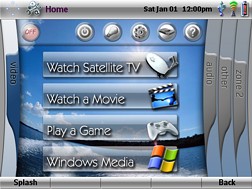
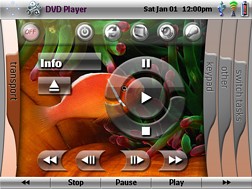
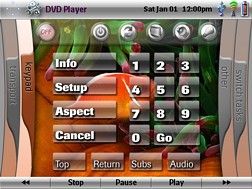
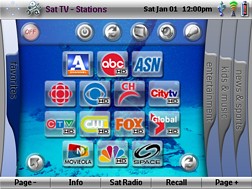
For: Pronto TSU9600 By: Scott Grimes | Contest Entry #05: XPronto SCUBA Edition SECOND PLACE WINNER! The following file is based on my SCUBA-themed configuration that I use for my Marantz RC9500. However, all of the graphics have been completely redone to accommodate the Pronto TSU9600 graphics capabilities (when importing the PCF file into the Pronto Professional program all the graphics became very tiny). Because the remote uses a widescreen display, I decided to base the page navigation within each device on the XBOX 360 dashboard. You navigate the tabs (or also known as �blades� for those familiar with the XBOX 360) by using the page up and down buttons located to the left of the screen. The �blades� themselves are currently not active (i.e., cannot be directly accessed by pressing on them), but will become so at a later date when I have more time to complete the file.I am an avid SCUBA diver and so the background pictures are themed after this. However, with not too much difficulty, the pictures can be changed to whatever you wish. The Home page will allow you to: 1) power the entire system down, 2) access power for all devices in the system, 2) access to lighting control and drapes, 4) the remote setup page �... (more) |
|
|
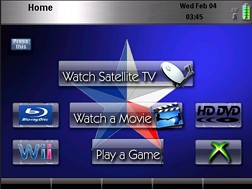
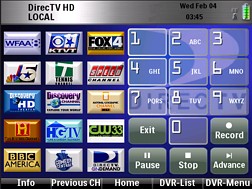
For: Pronto TSU9600 By: Kenny West | My Media Room Design created using elements of others with some of my own as well. My goal was as simple and error free operation as possible. A key element was having so there was no guesswork for others to use, i.e. must meet WAF! I hid the configuration panels for the lighting and Sony VPL-VW50 projector (easily accessible via the initial home page) so others would not know it was there.Some elements I like about it are: - Clean look and operation.
- Each device page (i.e. DirecTV, HD-DVD, BluRay, XBox, etc.) have the logo of the device as the background.
- All devices are automated fully, whether turning on or off.
- A ton of discrete codes for pretty much everything.
Enjoy and if any questions let me know! |
|
|
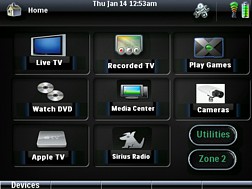
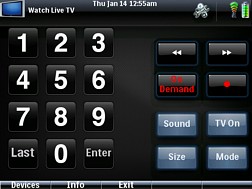
For: Pronto TSU9600 By: Ryan Paul | Paul's Home Theater Almost complete interface that uses pieces from other XCF files that I found. Interface focuses on ease of access for both wife and kids. Includes codes for Receiver that allow access to all functions with stylus. Main features are all accessible from touch panel. Some functions are still under development. Enjoy! |
|
|
More results: [ < Back | Next > ]
Return to the index of all files. |










