|
 |
|
|
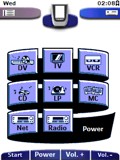 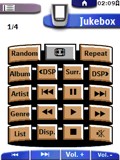
For: Philips ProntoPro By: Roger Brooks | Roger Brooks' Chad-3-ProntoPro This is an update of my previously submitted system CCF file based on CHAD graphics, constructed using Tonto. It was developed for use on an iPAQ with TV Remote Controller 5. Device selection panels are activity based, with macros. It includes graphic buttons with logos for radio and TV stations available on cable in central Switzerland, including some US, British, French, German and Austrian stations. Hard keys are mapped differently from a Pronto, but there is a hidden panel for each device to show how the mapping works. Latest changes are to the labelling panels for the DVR: a longer delay time between codes for more reliable operation and extra panels for special characters. |
|
|
|
|
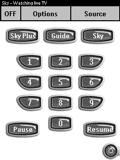 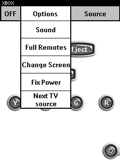
For: Philips Pronto NG By: Steve Avery | Steve Avery's PC-Style PCF PC application menu style overlays screens. Activity based. PVR activity based so curser keys control most relevent function based on whether you are watching live TV or recorded automatically. Uses Daniel's bitmaps. |
|
|
|
|

For: Philips iPronto By: Matt Crawford | Matt's Crestron-Style Interface Much work has gone into the graphical side of this ICF and it is in constant progress, all buttons created in X3d5, most with status changes, an update is to follow. |
|
|
Microsoft Home Theater PC Windows MCE 2005 For: Philips iPronto By: Matt Crawford | Part of a complete system ICF file. |
|
|
|
|
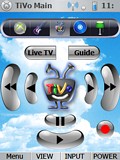 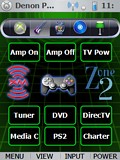
For: UEI NevoSL By: Chris Kelly | Chris Kelly's System Contains custom graphics, and several discrete codes for the Sharp LCD. |
|
|
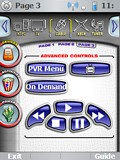 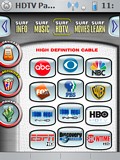
For: UEI NevoSL By: Mitchel Hayes | Mitchel Hayes' NVO File A complete system built on Daniel Tonks' awesome Pronto TSU7000 configuration. |
|
|
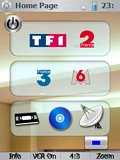 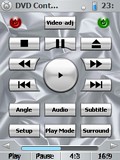
For: UEI NevoSL By: Nicodep | Nicodep's System Setup A complete system setup file for the NevoSL. |
|
|
Microsoft HTPC MCE 2005 For: UEI NevoSL By: Mitchel Hayes | Part of a complete system NVO file. |
|
|
Microsoft HTPC MCE 2005 For: UEI NevoSL By: Chris Kelly | Part of a complete system NVO file. |
|
|
Microsoft HTPC MCE 2005 For: UEI NevoSL By: Nicodep | Part of a complete system NVO file. |
|
|
|
|
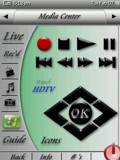 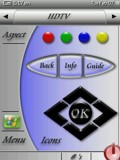
For: Philips ProntoPro NG By: Craig Nix | Craig Nix's v2.0 PCF This time around I wanted to keep it simple and clean looking. Most remotes I program are for systems utilizing Media Center computers so there is the ability to switch to MCE in every screen. Once designed in this simplified looking way though, my next challenge was to secure the program by adding in a combination lock function to get into the learning and set-up functions of the remote. If someone is to download this and try to access the programming mode of the remote, they would need to toggle the screens to the right until they get to a programming access screen and enter in the code of 2006 in the on-screen keypad. This then opens up the programming mode. Very simplistic, but it keeps a customer out of relearning a particular button on an individual screen. All button functions that the customers access reference buttons on programming/learning pages that are hidden, so that reprogramming is more simple. Enjoy! More to come.... |
|
|
For: Philips ProntoPro NG By: Chris Fink | Chris Fink's Media Room 2006 Beta file requires a few bug fixes prior to a release: 1. Battery icon appears as black rectangle when used on hardware, not sim. 2. Page title headers (text) appear grainy (interlaced). 3. Some links and IR codes need to be fixed. |
|
|
For: Philips ProntoPro NG By: Adam Nagy | Adam's Easy-To-Use PCF This file was made to be simple enough for all to use. It takes care of all the functions in my houe including my MCE PC which is used as my HTPC. Soon I will post a file which is multi room. I tried to combin all the best elements from what I have seen on here and bring it into one. It works quite well for my needs. |
|
|
Microsoft HTPC Media Center Keyboard (Remote model ZV1-00010) For: Philips Pronto NG By: Jan Van Eekeren | This is an IR Media Center dedicated keyboard. As you can use shortcuts on this keyboard, which aren't available on the generic MCE remote control, (such as flipping through the Zoom options) it may be of great value to many Pronto owners. |
|
|
|
|
Microsoft HTPC Windows Media Center Edition 2005 (Remote model 1039) For: Philips TS-1000 By: Peter Smith | CCF for control of Windows Media Center Edition 2005 as per the "out-of-the-box" Microsoft Remote. You may want to overwrite volume and mute buttons to suit your display/audio device. |
|
|
More results: [ < Back | Next > ]
Return to the index of all files. |










