|
 |
|
|
Microsoft Home Theater PC Windows MCE 2005 For: Pronto TSU9600 By: Jean-Michel Rendu | Part of a complete system XCF file. |
|
|
Microsoft Home Theater PC Windows MCE 2005 For: Pronto TSU9400 By: Ken Webster | Part of a complete system XCF file. |
|
|
|
|
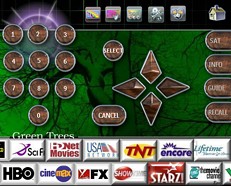
For: Philips iPronto By: Mark Budz | Mark's iPronto Remote The finalized version of my system file. Includes television channel guide. |
|
|

For: Philips iPronto By: Matt Crawford | Matt's Crestron-Style Interface Much work has gone into the graphical side of this ICF and it is in constant progress, all buttons created in X3d5, most with status changes, an update is to follow. |
|
|
Microsoft Home Theater PC Windows MCE 2005 For: Philips iPronto By: Matt Crawford | Part of a complete system ICF file. |
|
|
Microsoft Home Theater PC Windows Vista MCE For: Philips iPronto By: Mark Budz | Part of a complete system ICF file. |
|
|
|
|
Daniel's Bedroom Setup For: HTM MX-700 (System) By: Daniel Tonks | My complete bedroom television system as used with an MX-800 remote control. Utilizes simple device-switching macros and offers complete component control. Works well with both inexperienced users and the technically savvy. |
|
|
Daniel's Home Theater Setup For: HTM MX-700 (System) By: Daniel Tonks | My complete home theater system on the MX-800 remote control. Utilizes simple device-switching macros and offers complete component control. Works well with both inexperienced users and the technically savvy. |
|
|
Ryan's MX-850 For: HTM MX-700 (System) By: Ryan | A complete system file for MX-850 with many discretes. Main page has three spaced out labels: "Watch TV," "Media Center" and "Watch VCR," each selectable from each of the two buttons on the sides of the label. The system can be turned on either by pressing the main "On" button, or by pressing any of the "activities" (like "Watch TV") buttons. |
|
|
Xantech Controller MRC, MRA & BX Audio (Remote model MRCREM) For: HTM MX-700 (System) By: SDZD | A complete setup for these devices. |
|
|
|
|
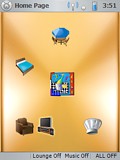 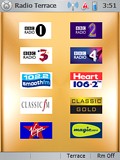
For: UEI NevoSL By: Rene Vielgrader | AV Control, Media Streaming, Full WiFi This configuration mimics the rooms in a house, providing full control of the AV equipment in the individual rooms as well as controlling media streaming to four areas in the house. This is accomplished by hosting all the media on one PC in the study, making downloading and editing of playlists easy. The second PC sits in the lounge and is acting as a media player and MCE PC. Since this is connected to a multi room audio controller, music can be played in four areas. Full wireless control provides interactive music selection with meta data on screen. PS: The MRA controller needs extensive programming and teaching of IR codes for this system to work. |
|
|
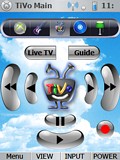 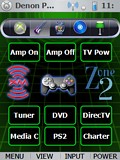
For: UEI NevoSL By: Chris Kelly | Chris Kelly's System Contains custom graphics, and several discrete codes for the Sharp LCD. |
|
|
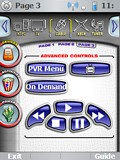 
For: UEI NevoSL By: Mitchel Hayes | Mitchel Hayes' NVO File A complete system built on Daniel Tonks' awesome Pronto TSU7000 configuration. |
|
|
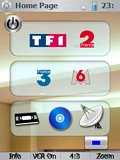 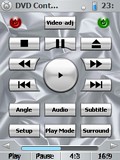
For: UEI NevoSL By: Nicodep | Nicodep's System Setup A complete system setup file for the NevoSL. |
|
|
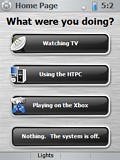 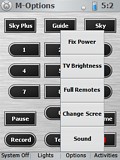
For: UEI NevoSL By: Steve Avery | Steve Avery - File Menu Style Based on my pronto design. Consistant menu system accross all pages. Menus overlay page for a file menu/ PC menu look and feel. Designed for a clean looking screen but with all options within a few clicks. Activity based design extended to PVR (Sky+) to automatically change the hard buttons based on whether you are watching live TV or recorded TV. "Please wait" screen added. "Jump" macro that jumps to all screens the returns home added. The Nevo is faster once a screen is loaded into memory. Jumping to all screens loads all screens. Power off has confirm screen (usefull when your TV has a 3 minute on/off time :) Menu bitmaps created with MS paint (OMG). All other buttons from Nevo. Added a beep macro. Rather than using beeps directly using this shortcut allows beeps to be blobally changed by changing just one macro. |
|
|
More results: [ < Back | Next > ]
Return to the index of all files. |










