|
 |
|
|
Philips Pronto Professional - ProntoEdit Professional v2.4.23 For: All Models | PEP2.4 PC configuration editing software for use with the Philips Pronto TSU9300, TSU9400, TSU9600 and TSU9800 color control panels. Fixes several bugs including Windows 7 compatibility and USB connectivity issues. |
|
|
Older Software - Philips ProntoEdit Professional v2.4.18 For: All Models | OLD VERSION PC configuration editing software for use with the Philips Pronto TSU9300, TSU9400, TSU9600 and TSU9800 color control panels. Adds UI enhancements including simultaneous editing of multiple pages and movable/dockable windows, reusable macros, rotary wheel enhancements, improved font style and size selection, faster file downloads and new channel icons. ProntoScript adds dynamic graphic elements, improved dynamic text, automatic library inclusion and storage of scripts in libraries. |
|
|
Older Software - Philips ProntoEdit Professional v2.3.17 For: All Models | OLD VERSION PC configuration editing software for use with the Philips Pronto TSU9300, TSU9400, TSU9600 and TSU9800 color control panels. Adds automatic window resizing for high resolution monitors, a snap-to grid, copying of macros and improved image resizing. ProntoScript adds support for new libraries, library encryption, a debugger, plus several other enhancements. |
|
|
|
|
PCF Programs - PCF Switcher For: All Models By: Daniel Tonks | v0.3 Tired of being unable to load PCF files not created by your remote�s particular software without first manually editing the comment section? PCF Switcher to the rescue! In the tradition of Pronto.ini Wizard and CCF Picker, this utility is designed to make transporting PCF files between the Philips ProntoEdit NG and Marantz Wizz.it packages easier, by automatically editing any PCF�s comment section with the correct version number for your software. In addition, PCF Switcher will also make a minor change to the XML code (if necessary) so that objects display correctly in Marantz Wizz.it. |
|
|
|
|
Older Software - Philips ProntoEdit Professional v2.1.18 For: All Models | OLD VERSION Brand new PC configuration editing software for use with the Philips Pronto Professional TSU9400, TSU9600 and TSU9800 color control panels. Adds numerous features such as an enhanced My Database, redesigned user interface, improved gallery, a Quick Start Wizard, ability to use different fonts, plus resizable images. This version adds Vista 64-bit support, project merging, IR code support for Gallery activities, deleting Gallery items, direct Project Browser access, improvements to the My Database interface, plus many other small fixes. |
|
|
Older Software - Philips ProntoEdit Professional v2.0.36 For: All Models | OLD VERSION Brand new PC configuration editing software for use with the Philips Pronto Professional TSU9400, TSU9600 and TSU9800 color control panels. Adds numerous features such as an enhanced My Database, redesigned user interface, improved gallery, a Quick Start Wizard, ability to use different fonts, plus resizable images. This version corrects an issue with the My Database component list. |
|
|
Other Programs - ProntoEdit Professional 2.0 for Vista x64 For: All Models By: Roti | Modified versions of the "ProntoEdit Professional 2.0.exe" and "ProntoDataService.exe" files allowing them to run on Vista x64 + brief instructions on how to replace the originals. |
|
|
Older Software - Philips ProntoEdit Professional v2.0.35 For: All Models | OLD VERSION Brand new PC configuration editing software for use with the Philips Pronto Professional TSU9400, TSU9600 and TSU9800 color control panels. Adds numerous features such as an enhanced My Database, redesigned user interface, improved gallery, a Quick Start Wizard, ability to use different fonts, plus resizable images. This version corrects a My Database issue. |
|
|
Older Software - Philips ProntoEdit Professional v2.0.34 For: All Models | OLD VERSION Brand new PC configuration editing software for use with the Philips Pronto Professional TSU9400, TSU9600 and TSU9800 color control panels. Adds numerous features such as an enhanced My Database, redesigned user interface, improved gallery, a Quick Start Wizard, ability to use different fonts, plus resizable images. |
|
|
|
|
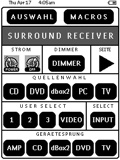 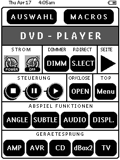
For: Philips Pronto NG By: Gernot Zipperling | Gernot Zipperling's TSU3000 Plain and simple--it's (mainly) in black and white. Although the RU950/TSU3000 can display grayscales I was never really happy with them in point how they look on the RC itself (they DO look better in ProntoEdit, imho) and especially I wasn't happy with the visibility in a semi-dark or dark room (the backlighting doesn't help much, imho). So there are lots of prettier system files, but I did go primarily for usability. The system file is very dry and functional, no gimmicks whatsoever. The file itself is small too (about 100kb), so it will load fast to your Pronto, which is an advantage when playing around with updated versions. The majority of the pages will give you the possibilty of a direct jump to the other devices, which is another advantage in daily use. Please note that the labels are in semi German/English language as I am a German citizen. I don't think editing this should be a problem. So, It may not look as good as other but it's very functional. |
|
|
|
|
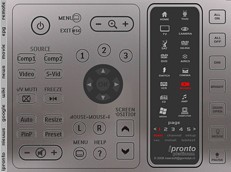
For: Philips iPronto By: Kees van der Meer | Kees' iPronto Platinum v83 A brand-new ICF with new unique features and elevator-like buttons! A complete new look and style that matches the iPronto very good. Special channel-pages (alphabet and category) with complete transparent buttons (no pictures) so you can name these with your own favorite channels with iPronto-edit. This ICF-project is not completely finished, but you can start up your ICF-system. An update is following soon. Also see the Graphic & Layouts section and download the iPronto Platinum Bitmap Gallery. |
|
|
|
|
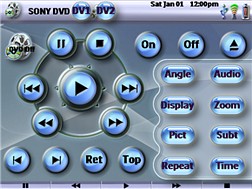
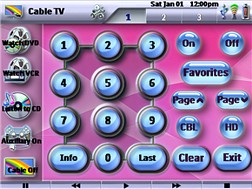
For: Pronto TSU9600 By: Blaez | Blaez's Device Based XCF File If you were previously using a remote like the Pronto TSU2000, which we were using before upgrading to the TSU9600, then you may have gotten used to going to individual devices that were actually the remotes for the equipment in your system. This system XCF file is based on running all devices with macros, but having a remote available for fine tuning all aspects of the device being used, as well as using buttons to get back and forth between devicess, like Cable and TV. All device remotes can also easily be accessed from a menu page of Devices on the Home Menu. There is an included Help File that explains the remote's use and functions to all users. Elements used were simply from the ProntoEdit Professional program and the "onlyoneremote.com" web site. |
|
|
Older Software - Philips ProntoEdit Professional v1.1.0 (TSU9400) For: Pronto TSU9400 | OLD VERSION PC configuration editing software for use with the Philips Pronto Professional TSU9400 color control panel. This is the first official release. Requires remote firmware v3.0.15. |
|
|
Older Software - Philips ProntoEdit Professional v1.1.20 (TSU9600) For: Pronto TSU9600 | OLD VERSION PC configuration editing software for use with the Philips Pronto Professional TSU9600 color control panel. Changes to this version include ProntoScript support, addition of Xiva-based sound server integration, MCE music integration, Escient Fireball DVD and music manager integration, increased album art size, an IR code database update, and Windows Vista compatibility. Requires remote firmware v1.4.28 and extender firmware v1.1.36. |
|
|
Philips Pronto Professional - ProntoEdit Professional (TSU9400) Manual For: Pronto TSU9400 | Complete documentation in English for the Philips ProntoEdit Professional software package, TSU9400 edition, in Adobe Acrobat .PDF format. |
|
|
More results: [ < Back | Next > ]
Return to the index of all files. |










