|
 |
|
|
Optoma Television H77 (Remote model HOF3H60D1) For: HTM MX-700 (Device) By: Scott Horton | Created using MakeHex and ProntoEdit. Loaded and tested in my MX700. Includes 3 buttons not on the original remote (toggling sync to inputs; picture mode; video mode). Unlike my experience trying to learn from the original, this works correctly. I couldn't find any hidden discretes. Hope this is helpful! |
|
|
|
|
User Written Documentation - IRDatabase Documentation (DOC) For: All Models By: Steven Keyser | Documentation on how to Learn IR codes, add them to your rcir.mdb file and then add them to a button using IRDatabase and ProntoEdit. In MS Word format. |
|
|
|
|
Force DTT Receiver 320T (Remote model URC-39100B00) For: Philips ProntoNEO By: Hakan Lofgren | These codes can not be learned with Pronto remotes, but this Force box uses the Dreambox protocol device 13.3. The MakeHex Pronto hex codes are translated to Neo hex with ProntoEdit NG (please note that NeoHacker is not able to correctly translate these codes) and stored in the NeoEdit NCF file with NeoHacker. There are no discrete codes. |
|
|
|
|
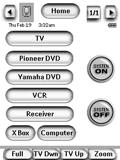 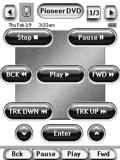
For: Philips Pronto NG By: Rick Lohr | Rick Lohr's TSU3000 This file has the following strengths: simple interface suitable for kids/wives; large easily read fonts/buttons on all screens; control of TV, Receiver, & Switcher; inputs with single button for each device; immediate and time delayed system power off; uses easily modified buttons and labels that come with ProntoEdit NG. |
|
|
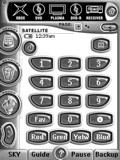 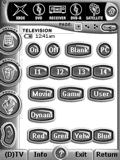
For: Philips Pronto NG By: John Makin | John Makin's Pronto NG Based on Daniel Tonks superb library. This file integrates Daniel's work into the ProntoEdit NG software which will save much work. Also includes contrast calibration and two levels of PIN protection 1: user (access to remote) and 2: admin (access to setup). |
|
|
|
|
User Written Documentation - ProntoEdit IR Code Formats (DOC) For: All Models By: Eigeny Oulianov | In-depth description of all current Pronto IR formats. |
|
|
Canon Digital Camera Powershot G5, G6, S60 & S70 (Remote model WL-DC100) For: Philips ProntoPro By: Rich | Looks like the actual remote. Made with ProntoEdit and tested on the S70 with TV Remote Controller on an iPAQ 2210. Have used the remote codes from Markus Emmert's CCF file. Please note on S-series, only shutter/display buttons have a function - Canon's wisdom. Other buttons therefore untested as no G series to test with, but should work ok. |
|
|
|
|
Other Programs - ProntoEdit Professional 2.0 for Vista x64 For: All Models By: Roti | Modified versions of the "ProntoEdit Professional 2.0.exe" and "ProntoDataService.exe" files allowing them to run on Vista x64 + brief instructions on how to replace the originals. |
|
|
|
|
Bang & Olufsen Generic TV (Remote model Beolink 1000/5000) For: Philips TS-1000 By: Stuart Sims | Bang & Olufsen learned learned IR codes, includes many discretes. This is a Word document listing the IR codes learned from 2 different B&O remotes, the Beolink 1000 and Beolink 5000. The codes can be "cut and pasted" into ProntoEdit. A work in progress. |
|
|
|
|
BenQ Projector PB6210 For: Philips Pronto NG By: Sinclair | This file works with the latest firmware & ProntoEdit software (tested with TSU3000). Earlier firmware versions weren't able to learn the codes correctly. |
|
|
|
|
DVDO Video Processor iScan VP30 For: Philips TS-1000 By: Tim Strommen | These are the remote codes for the factory VP30 IR remote control. The codes are in named button form in the Macro section of the CCF for easy "aliasing" in ProntoEdit. All codes were ripped and tested in-house at DVDO on 1-3-2006 by DVDO Technical Support on a Philips Pronto TS1000/01. Also includes a text file with all hex codes. |
|
|
|
|
PCF Programs - Button Maker For: Philips Pronto NG By: Richard Strudwick | v3.0 Button Maker - create buttons for use in ProntoEdit. Also included is my configuration file so you can see how I have made use of it. |
|
|
|
|
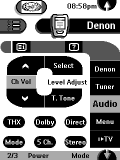 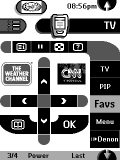
For: Philips TS-1000 By: Dave Swindell | Dave Swindell's Pronto Setup I use the pronto to control equipment in two rooms. This CCF is based on some of the popular Star Trek Next Generation themes, makes heavy use of button aliases and jump commands to build a multi-room control setup complete with a help facility. Posted to provide some examples of what can be done with the ProntoEdit software and too much free time. |
|
|
Other Programs - CCF Picker For: All Models By: Daniel Tonks | v1.02 Do you work with many CCF editing packages, such as ProntoEdit, Touch Screen Setup, RAVedit and CHAD Edit? Tired of browsing your files and being unable to quickly load one CCF into ProntoEdit and another into RAVedit? Then you just may need this utility! CCF Picker associates itself with the CCF file type and, when such a file is double-clicked on, asks which software version you would like to load it in. Fully customizable and also supports direct loading into emulators. Please read the text file for installation instructions and other notes. |
|
|
Other Programs - Pronto.ini Workshop For: All Models By: Daniel Tonks | v1.25 This program works behind the scenes to make Philips ProntoEdit & ProntoProEdit, Marantz RC5000 Setup & Touch Screen Setup, Yamaha RAVedit and Onkyo CHAD Edit easier to use. Features include: activates all possible font sizes, enables Developer Mode, changes the maximum file size (handy for galleries), changes the default delay value, fixes the TSU2000 / ProntoEdit v2.0 "none or invalid ini" error and can even restore the original pronto.ini file or registry settings. Please view the README file before use. |
|
|
More results: [ < Back | Next > ]
Return to the index of all files. |










