|
 |
|
|
Older Software - Philips ProntoEdit Professional v2.0.34 For: All Models | OLD VERSION Brand new PC configuration editing software for use with the Philips Pronto Professional TSU9400, TSU9600 and TSU9800 color control panels. Adds numerous features such as an enhanced My Database, redesigned user interface, improved gallery, a Quick Start Wizard, ability to use different fonts, plus resizable images. |
|
|
Older Software - Philips ProntoEdit Professional v2.0.35 For: All Models | OLD VERSION Brand new PC configuration editing software for use with the Philips Pronto Professional TSU9400, TSU9600 and TSU9800 color control panels. Adds numerous features such as an enhanced My Database, redesigned user interface, improved gallery, a Quick Start Wizard, ability to use different fonts, plus resizable images. This version corrects a My Database issue. |
|
|
Older Software - Philips ProntoEdit Professional v2.0.36 For: All Models | OLD VERSION Brand new PC configuration editing software for use with the Philips Pronto Professional TSU9400, TSU9600 and TSU9800 color control panels. Adds numerous features such as an enhanced My Database, redesigned user interface, improved gallery, a Quick Start Wizard, ability to use different fonts, plus resizable images. This version corrects an issue with the My Database component list. |
|
|
Older Software - Philips ProntoEdit Professional v2.1.18 For: All Models | OLD VERSION Brand new PC configuration editing software for use with the Philips Pronto Professional TSU9400, TSU9600 and TSU9800 color control panels. Adds numerous features such as an enhanced My Database, redesigned user interface, improved gallery, a Quick Start Wizard, ability to use different fonts, plus resizable images. This version adds Vista 64-bit support, project merging, IR code support for Gallery activities, deleting Gallery items, direct Project Browser access, improvements to the My Database interface, plus many other small fixes. |
|
|
Older Software - Philips ProntoEdit Professional v2.3.17 For: All Models | OLD VERSION PC configuration editing software for use with the Philips Pronto TSU9300, TSU9400, TSU9600 and TSU9800 color control panels. Adds automatic window resizing for high resolution monitors, a snap-to grid, copying of macros and improved image resizing. ProntoScript adds support for new libraries, library encryption, a debugger, plus several other enhancements. |
|
|
Older Software - Philips ProntoEdit Professional v2.4.18 For: All Models | OLD VERSION PC configuration editing software for use with the Philips Pronto TSU9300, TSU9400, TSU9600 and TSU9800 color control panels. Adds UI enhancements including simultaneous editing of multiple pages and movable/dockable windows, reusable macros, rotary wheel enhancements, improved font style and size selection, faster file downloads and new channel icons. ProntoScript adds dynamic graphic elements, improved dynamic text, automatic library inclusion and storage of scripts in libraries. |
|
|
Philips Pronto Professional - ProntoEdit Professional v2.4.23 For: All Models | PEP2.4 PC configuration editing software for use with the Philips Pronto TSU9300, TSU9400, TSU9600 and TSU9800 color control panels. Fixes several bugs including Windows 7 compatibility and USB connectivity issues. |
|
|
Philips Pronto Professional - ProntoEdit Professional (TSU9400) Manual For: Pronto TSU9400 | Complete documentation in English for the Philips ProntoEdit Professional software package, TSU9400 edition, in Adobe Acrobat .PDF format. |
|
|
Philips Pronto Professional - ProntoEdit Professional (TSU9600) Manual For: Pronto TSU9600 | Complete documentation in English for the Philips ProntoEdit Professional software package, TSU9600 edition, in Adobe Acrobat .PDF format. |
|
|
Other Programs - ProntoEdit Professional 2.0 for Vista x64 For: All Models By: Roti | Modified versions of the "ProntoEdit Professional 2.0.exe" and "ProntoDataService.exe" files allowing them to run on Vista x64 + brief instructions on how to replace the originals. |
|
|
|
|
Force DTT Receiver 320T (Remote model URC-39100B00) For: Philips ProntoNEO By: Hakan Lofgren | These codes can not be learned with Pronto remotes, but this Force box uses the Dreambox protocol device 13.3. The MakeHex Pronto hex codes are translated to Neo hex with ProntoEdit NG (please note that NeoHacker is not able to correctly translate these codes) and stored in the NeoEdit NCF file with NeoHacker. There are no discrete codes. |
|
|
|
|
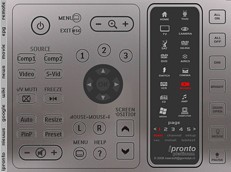
For: Philips iPronto By: Kees van der Meer | Kees' iPronto Platinum v83 A brand-new ICF with new unique features and elevator-like buttons! A complete new look and style that matches the iPronto very good. Special channel-pages (alphabet and category) with complete transparent buttons (no pictures) so you can name these with your own favorite channels with iPronto-edit. This ICF-project is not completely finished, but you can start up your ICF-system. An update is following soon. Also see the Graphic & Layouts section and download the iPronto Platinum Bitmap Gallery. |
|
|
Older Software - Philips iProntoEdit v2.2 For: Philips iPronto | OLD VERSION Philips' ICF editing package for use with the full-color iPronto TSi6400 remote control. This version works with some firmware versions prior to 1.6.21. |
|
|
Older Software - Philips iProntoEdit v2.3.2 For: Philips iPronto | OLD VERSION Philips' ICF editing package designed for use with the full-color iPronto TSi6400 remote control. New features include improved iPronto communications and stability. Required for firmware 1.6.21 and 1.6.22. |
|
|
Older Software - Philips iProntoEdit v2.4.3 For: Philips iPronto | OLD VERSION An updated version of the ICF editing package designed for use with the full-color iPronto TSi6400 remote control. Adds support for by-device hard button assignments, button bitmap copy shortcut and support for the new ICF format. Firmware version 1.7 or above recommended. |
|
|
More results: [ < Back | Next > ]
Return to the index of all files. |










