|
 |
|
|
DVDO Video Processor iScan VP30 For: Philips TS-1000 By: Tim Strommen | These are the remote codes for the factory VP30 IR remote control. The codes are in named button form in the Macro section of the CCF for easy "aliasing" in ProntoEdit. All codes were ripped and tested in-house at DVDO on 1-3-2006 by DVDO Technical Support on a Philips Pronto TS1000/01. Also includes a text file with all hex codes. |
|
|
Pace Cable Box 4000N For: Philips TS-1000 By: Gary Connoley | Pace NTL Cable STB codes for Pronto. Lots of people seem to be having problems with this device. I programmed the buttons in ProntoEdit then manually learned the codes. Checked that this worked with the two Cable boxes I have. |
|
|
Panasonic Television TX-36PF10 (Remote model EUR511220) For: Philips TS-1000 By: Steve Wright | Full set of clean codes plus discrete on/off. In text (ProntoEdit hex) format. |
|
|
Panasonic VCR AG1980 For: Philips TS-1000 By: Steven Grimm | Part of a complete system CCF file. |
|
|
Panasonic VCR PV-S4580 For: Philips TS-1000 By: Steven Grimm | Part of a complete system CCF file. |
|
|
Pioneer DVD/LD Player DVL-909 (Remote model CU-DV018) For: Philips TS-1000 By: Steven Grimm | Part of a complete system CCF file. |
|
|
Scott Television HTS2700 For: Philips TS-1000 By: Steven Grimm | Part of a complete system CCF file. |
|
|
Yamaha Amplifier DSP-A1 (Remote model RAV160) For: Philips TS-1000 By: Steven Grimm | Includes discrete on/off controls. Part of a complete Star Trek themed system CCF file. |
|
|
|
|
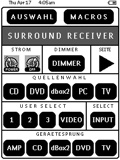 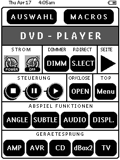
For: Philips Pronto NG By: Gernot Zipperling | Gernot Zipperling's TSU3000 Plain and simple--it's (mainly) in black and white. Although the RU950/TSU3000 can display grayscales I was never really happy with them in point how they look on the RC itself (they DO look better in ProntoEdit, imho) and especially I wasn't happy with the visibility in a semi-dark or dark room (the backlighting doesn't help much, imho). So there are lots of prettier system files, but I did go primarily for usability. The system file is very dry and functional, no gimmicks whatsoever. The file itself is small too (about 100kb), so it will load fast to your Pronto, which is an advantage when playing around with updated versions. The majority of the pages will give you the possibilty of a direct jump to the other devices, which is another advantage in daily use. Please note that the labels are in semi German/English language as I am a German citizen. I don't think editing this should be a problem. So, It may not look as good as other but it's very functional. |
|
|
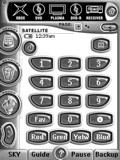 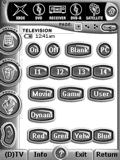
For: Philips Pronto NG By: John Makin | John Makin's Pronto NG Based on Daniel Tonks superb library. This file integrates Daniel's work into the ProntoEdit NG software which will save much work. Also includes contrast calibration and two levels of PIN protection 1: user (access to remote) and 2: admin (access to setup). |
|
|
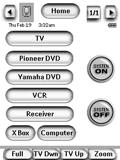 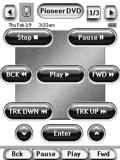
For: Philips Pronto NG By: Rick Lohr | Rick Lohr's TSU3000 This file has the following strengths: simple interface suitable for kids/wives; large easily read fonts/buttons on all screens; control of TV, Receiver, & Switcher; inputs with single button for each device; immediate and time delayed system power off; uses easily modified buttons and labels that come with ProntoEdit NG. |
|
|
 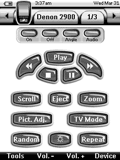
For: Philips Pronto NG By: Rob Grim | Rob Grim's PCF File Special thanks to Daniel and Willy for the excellent graphics and DirecTV icons. This PCF file now contains dedicated IR Code pages for all devices and has been updated for the new version of ProntoEdit NG. |
|
|
Older Software - PPENG PCF Conversion Tool For: Philips ProntoPro NG | As files created in ProntoEdit NG v2.0.6 CANNOT be opened by ProntoProEdit NG v1.0.10, this conversion tool has been created to change black & white PCFs into a format that ProntoProEdit NG can understand. |
|
|
Older Software - Philips Pronto NG TSU3000 & RU950 Firmware Update v3.1.15 For: Philips Pronto NG | OLD VERSION Major remote firmware updates and additions include timers, quicker macro execution, faster IR transmission response time, lower battery consumption, improved IR code learning, more incremental LCD contrast control, hard button LCD activation changes, plus multi-language support (English, Spanish, French, German and Dutch). Requires ProntoEdit NG version 2.0.6. This quick update fixes a problem with needing to double-press two buttons. |
|
|
Older Software - Philips ProntoEdit NG v1.1 For: Philips Pronto NG | OLD VERSION The original released version of ProntoEdit NG, for the TSU3000 remote control. |
|
|
More results: [ < Back | Next > ]
Return to the index of all files. |










