|
 |
|
|
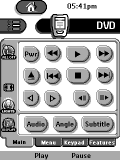 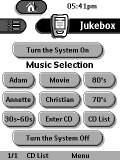
For: Philips TS-1000 By: Adam Gregorich | Adam Gregorich's CCF File My CCF is a mixture of everything on this forum (I have stolen freely!). All devices use the same tabbed menus and discrete on/off functions. There is a spot in the CCF for all your CDs to be entered. This list acts as a one touch to play that CD. |
|
|
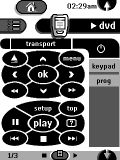 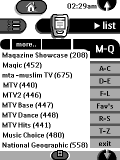
For: Philips TS-1000 By: Phil Ayling | Phil Ayling's Star Trek CCF I have used design ideas 'borrowed' from this site (thanks all!) to make my pronto look like a Star Trek tricorder, giving a consistent look across all the devices. Incorporates one-touch Sky channel changing, accessible by both alphabetical lists and icon form, categorized by type. The CCF is 'split' into two halves, one being basic and simple (for the wife), the other giving full acces to menus and panels. In the macros, I have incorporated timers to get rid of thet bloody interactive dot from the screen on unattended video recordings. |
|
|
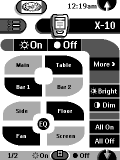 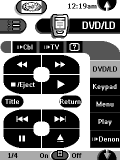
For: Philips TS-1000 By: Raymond Wisco | Raymond's Home Theater CCF This is a modified CCF of Scott Gardner's Star Trek theme (thanks Scott). One touch Movie On/Off panel. TV and Cable station icon tuning. Most equipment with discrete codes. |
|
|
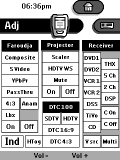 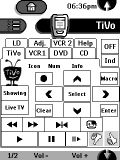
For: Philips TS-1000 By: Guy Kuo | Guy Kuo's AVIA CCF New design! This system CCF contains duplicates of actual remotes as macro panels. A tab based GUI on the device side serves for day to day operation. Features volume control on the left/right buttons (so the volume keys can be used for tuning the satellite) and simulated discrete codes for the Faroudja line doubler. Updated with one-touch access macros for the most commonly used audio and video tests on the AVIA DVD which can be easily modified for any DVD player. Other notes included in the .txt file. |
|
|
|
|
 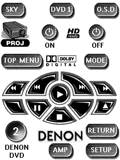
For: Philips Pronto NG By: David Pickett | David's Home Theater Mark 5 Yep that's right, I'm back... with all new gear and some more fun pages and ideas. This includes a new iPod dock with a homemade ipod touch screen and a brilliant new Xbox 360 "Master Chief" welcome page. Thanks to everyone again, and feel free to leave comments. Please enjoy! |
|
|
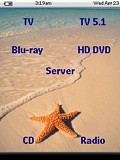 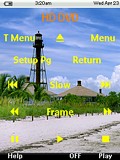
For: Philips ProntoPro NG By: Mark Patton | Mark Patton's Tropical PCF An updated activity based Tropical themed TSU7000 config. This update is to include a bunch of new AV equipment. Still a true one touch config that does not need to ask the user any questions to switch from 1 activity to another. Most pages are hidden to simply the user experience. So easy to use that vistors have zero problems with 1st usage. Feel free to try it and offer your feedback! |
|
|
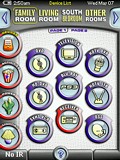 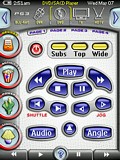
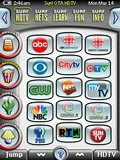 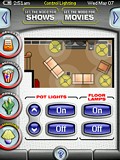
For: Philips ProntoPro NG By: Daniel Tonks | Daniel's Color TSU7000 Layout v1.06 This is it - my personal PCF file for the Philips ProntoPro NG TSU7000 color touchscreen LCD remote control. This completely original and full-screen interface is based on my black-and-white layout for the Pronto NG TSU3000, but is not merely a colorization of that design. In this version I've concentrated on making the layout quicker to navigate (no more home page), easier for others to modify, and far more versatile.Sporting 6 zones with over 42 full device configurations complete with separate code pages with discretes, this setup makes liberal use of hard buttons, a quick main task bar to the left and a sub-task/device bar on top. Also new is a status line with the time, date, battery level and device name, two buttons that can be used for page history or device switching, plus better page numbering. Additional features include Rogers VIP and HDTV digital cable and off-air HDTV television surfing guides for the Toronto, Canada area, an interactive lighting device, hard button help page and my Galaxy NG puzzle game. Included as hidden devices in this file is a gallery which includes over 1000 original graphics that can be used to completely customize this... (more) |
|
|
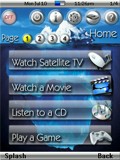 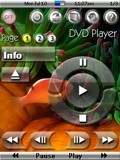
For: Marantz RC9500 By: Scott Grimes | Scott Grimes' System PCF Version 4.1 All of the graphics have been completely redone again � this time I managed to give them a glass-like look. The transport buttons are based on Mike Ventimiglia�s �Envision� design, however, they have also been redone from scratch and given a glass-like appearance. The icons at the top of each device are loosely based on John Sollecito�s design. I even designed a new battery icon which turned out quite nicely. I am an avid SCUBA diver and so the background pictures are themed after this. I have included the original generic background pictures if you wish to use them instead. I completely overhauled the underlying layout of the configuration file and moved the IR codes sections out from each of the devices. The reason I did this was to better access these hidden sections from the remote itself. There is, however, an access code required to enter the macros and IR codes area. It is set as �1, 2, 3, 4, Enter� and can easily be changed to whatever you wish. You can access this area by pressing the �setup� icon an then choosing the �IR Codes & Macros� button. This time I am made a modified version of my PCF file for those with the Pronto version of these excellent... (more) |
|
|
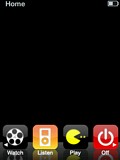 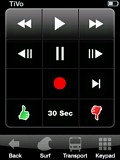
For: Philips ProntoPro NG By: Edward Lee | iPhone-esque Design This is version 1.4 of my iPhone-esque design for the ProntoPro NG, but now includes the new iPod Touch Interface! The iPhone interface is still tucked away in the PCF though for purists. During the design, I found that much of the interface needed to be modified to fit the needs of a remote control, so it's not so much a complete copy of the iPhone/iPod Touch interface, but more my interpretation. This file includes updated reflective graphics from the original version of my PCF. Also includes new battery icons and new headers. I am also including the Photoshop files of each icon set in the ZIP file for those wanting more flexibility in creating their own icons, channel buttons, transports, etc. |
|
|
LiteTouch Lighting LiteTouch For: Philips Pronto NG By: Brian Niebrugge | IR Codes for LiteTouch 9 button stations with addresses from 81 to 99, plus address FF. |
|
|
|
|
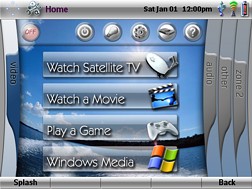
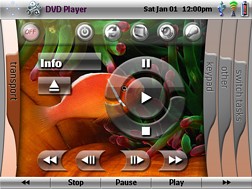
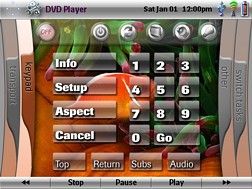
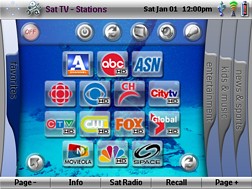
For: Pronto TSU9600 By: Scott Grimes | Contest Entry #05: XPronto SCUBA Edition SECOND PLACE WINNER! The following file is based on my SCUBA-themed configuration that I use for my Marantz RC9500. However, all of the graphics have been completely redone to accommodate the Pronto TSU9600 graphics capabilities (when importing the PCF file into the Pronto Professional program all the graphics became very tiny). Because the remote uses a widescreen display, I decided to base the page navigation within each device on the XBOX 360 dashboard. You navigate the tabs (or also known as �blades� for those familiar with the XBOX 360) by using the page up and down buttons located to the left of the screen. The �blades� themselves are currently not active (i.e., cannot be directly accessed by pressing on them), but will become so at a later date when I have more time to complete the file.I am an avid SCUBA diver and so the background pictures are themed after this. However, with not too much difficulty, the pictures can be changed to whatever you wish. The Home page will allow you to: 1) power the entire system down, 2) access power for all devices in the system, 2) access to lighting control and drapes, 4) the remote setup page �... (more) |
|
|
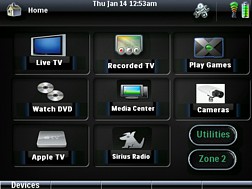
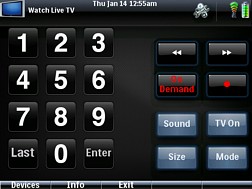
For: Pronto TSU9600 By: Ryan Paul | Paul's Home Theater Almost complete interface that uses pieces from other XCF files that I found. Interface focuses on ease of access for both wife and kids. Includes codes for Receiver that allow access to all functions with stylus. Main features are all accessible from touch panel. Some functions are still under development. Enjoy! |
|
|
|
|
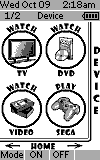 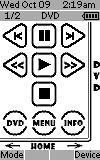
For: Philips ProntoNEO By: Ed Haycock | Ed Haycock's Custom NCF All buttons are custom and use the Showcard Gothic font. All devices are laid out to easily step through the pages by way of the touch scree. You can instantly jump to a home page for each device as well. |
|
|
LiteTouch Lighting LiteTouch For: Philips ProntoNEO By: Brian Niebrugge | IR Codes for LiteTouch 9 button stations with addresses from 81 to 99, plus address FF. |
|
|
|
|
LiteTouch Lighting All Stations/Keypads 00-FF For: All Models By: Tyson Brown | This file contains discrete codes for every button (1-9) on each of the 256 possible stations [keypads], addresses 00 to FF, in a LiteTouch [Lite Touch] system. This file may be used to import these codes into any remote that is able to be designed using URC's Complete Control program. |
|
|
More results: [ < Back | Next > ]
Return to the index of all files. |










