|
 |
|
|
For: Philips ProntoPro NG By: Kevin Lee | Kevin Lee's System PCF Working Chloe system template with the following components. |
|
|
For: Marantz RC9500 By: Mario Yamada | Mario Yamada's RC9500 A complete system setup for the following devices. |
|
|
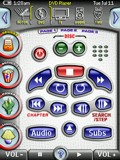 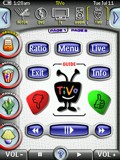
For: Philips ProntoPro NG By: Rick Levesque | Rick Levesque's TSU7000 Version 4.01 This is an update of my previous version. I have added a few more channel icons and XM radio icons for DirecTV. A blending of Daniel Tonks' and Lowpro's PCFs for the TSU7000. Changes include additional TV logos including logos for the SF Bay Area local stations, and a slightly different DVD category list. |
|
|
 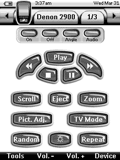
For: Philips Pronto NG By: Rob Grim | Rob Grim's PCF File Special thanks to Daniel and Willy for the excellent graphics and DirecTV icons. This PCF file now contains dedicated IR Code pages for all devices and has been updated for the new version of ProntoEdit NG. |
|
|
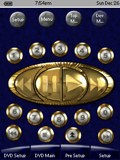 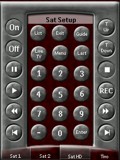
For: Philips ProntoPro NG By: Ryan Wright | Ryan Wright's System Setup First, a special thanks to Andre' du Frense for the exceptional graphics in Retro Gold and Unimod as well as Scott Harris for the DirecTV channel Logos. I set up my activity based configuration file for as little jumping back and forth as possible. |
|
|
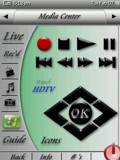 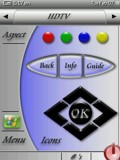
For: Philips ProntoPro NG By: Craig Nix | Craig Nix's v2.0 PCF This time around I wanted to keep it simple and clean looking. Most remotes I program are for systems utilizing Media Center computers so there is the ability to switch to MCE in every screen. Once designed in this simplified looking way though, my next challenge was to secure the program by adding in a combination lock function to get into the learning and set-up functions of the remote. If someone is to download this and try to access the programming mode of the remote, they would need to toggle the screens to the right until they get to a programming access screen and enter in the code of 2006 in the on-screen keypad. This then opens up the programming mode. Very simplistic, but it keeps a customer out of relearning a particular button on an individual screen. All button functions that the customers access reference buttons on programming/learning pages that are hidden, so that reprogramming is more simple. Enjoy! More to come.... |
|
|
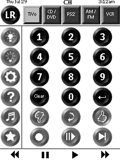 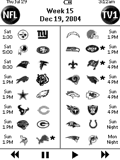
For: Philips Pronto NG By: John Brandt | John Brandt's Custom PCF A pretty clean setup with mostly original buttons (except for the favorite icons and the help pages which were "borrowed"). The unique part is the NFL setup: I've filled in the entire DirecTV NFL Sunday Ticket 2004/2005 regular season schedule by week, with icons for each team. The icons are linked to channel buttons to allow simultaneous control of two TVs for "Picture and Picture" action every Sunday. |
|
|
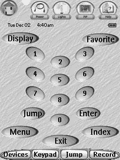 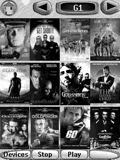
For: Philips Pronto NG By: Jon Linville | Jon Linville's Jukebox Layout This PCF contains jacket covers for over 300 DVDs as well as macros for all 400 slots. Both satellites have all available DirecTV channel icons and macros. Very user friendly. 95% of all graphics were made by me. Only a few were borrowed. |
|
|
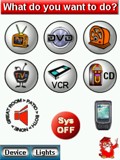 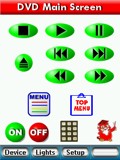
For: Philips ProntoPro NG By: Mike Burwen | Mike Burwen's Updated PCF This file updates the file entry-24.zip and contains several refinements. The DirecTV HD receiver changes from a Sony to a Samsung model which has a different feature set. The instruction screens have been significantly improved and now incorporate active buttons, enabling the user to activate functions directly from an instruction screen if desired. An X10-based lighting screen has been added. |
|
|
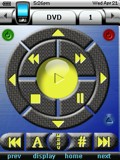 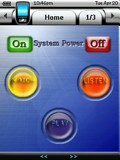
For: Philips ProntoPro NG By: Mike Morrison | Mike Morrison's Original PCF This is my 2nd attempt at creating a PCF for the 7000. With this attempt, I have created most of the buttons myself. I did use Scott Harris' DirecTV icons (thanks Scott!) and borrowed from Jon Linville's DVD jukebox template. Besides borrowing from these sources, the rest is all mine. I am using many of the popular glass style buttons as well as a carbon fiber look for the DVD interface. The 400 disc jukebox has an alpha, numerical, music DVD, and sacd search engine. Most of the buttons have a "stamped imprinted" style lettering and symbols. Also, there are many one button steps for selecting HD and standard def programming. |
|
|
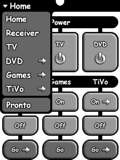 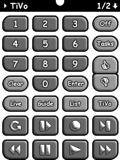
For: Philips Pronto NG By: Peter A. Kemmer | Peter A. Kemmer's Custom Design Presenting the HD DirecTV TiVo edition of my Pronto NG PCF! With each new release I've put a ton of attention into making it simpler to navigate, easier to read, and harder to goof up. Even people with large fingers should find the clearely labeled, large, but spaciously arranged buttons to their liking. Quickly change source, navigate to any device, or rotate through a device's pages using the newly redesigned title bar, now with a pop-up menu that should have been in there from the beginning! Toss in task-based macros (with progress bars for the long ones} and you have an efficient system that's a real no brainer to use. Includes all the raw bitmaps and Photoshop source files. Comprehensive documentation can be found at http://www.ratsnest.com/pronto/ |
|
|
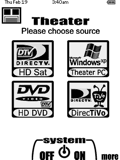 
For: Philips Pronto NG By: Rob Hix | Rob Hix's Custom PCF A complete WHOLE HOUSE remote file that addresses the Kitchen, Theater, Family Room, Bedroom, and Distributed Music. Artwork is original with large, high-contrast images for easy viewing. The file addresses multiple DVD players, DirecTV HD and standard receivers, TiVo, two Denon receivers, several HD and analog TVs, etc. NOTE: Use the "Home" button to navigate between rooms. |
|
|
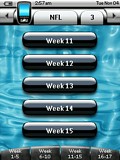 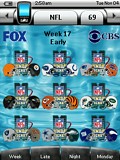
For: Philips ProntoPro NG By: Akash Patel | Design Elements - 2008 DirectTV NFL Sunday Ticket Schedule Once again, thanks to Kevin Davis for his awesome graphics. This is the 2008 NFL season laid out to work with DirecTV's schedule. To use, simply copy the NFL device to your config and program the channels according to DirecTV's NFL schedule. Includes raw design elements. |
|
|
 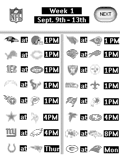
For: Philips Pronto NG By: Jason Humphries | Design Elements - Jason Humphries' NFL Schedule 2004 This pcf has all 17 weeks of NFL game matchups. For each week there are team helmets that you can add your satellite IR codes to which will take you to the DirecTV Sunday Ticket game channel. |
|
|
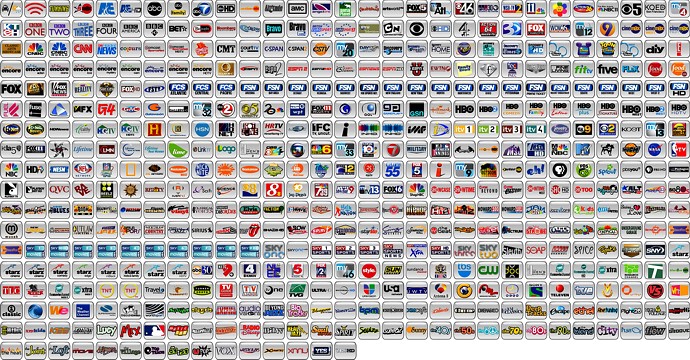
Network Logos - Dmitry Smolyanitsky's Network Logos Now contains 521 PNG channel logos in Daniel's style. Features DirecTV XM and Dish Network Sirius music buttons. Updated file includes new XM and Sirius icons. Previews below are shown much smaller than actual size. |
For: Philips ProntoPro NG By: Dmitry Smolyanitsky | |
|
More results: [ < Back | Next > ]
Return to the index of all files. |