|
 |
|
|
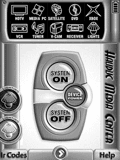 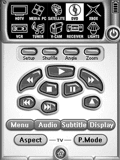
For: Philips Pronto NG By: Ludovic Hauduc | Ludovic Hauduc's Quick Switching PCF My previous remote was the venerable Sony RM-AV2100 and, truth be told, it's hard to beat the simple concept of being able to switch to any component from any page. So, I decided to base my new design on that idea, using the wonderful graphics from Daniel Tonks' design. The top of every page contains 10 icons leading to the main device pages. Switching to a new component does not set the inputs; a second press on the device icon is required to do that. |
|
|
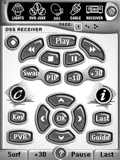 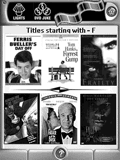
For: Philips Pronto NG By: Matt Bennett | Matt Bennett's Second Setup Building upon Daniel Tonks' graphics and overall design, with some design elements from David Shaw (a few graphics) and Jon Linville (his clean screen program is effective, as well as his pre-made DVD macros which I used for my DVD changer). I have made the PCF very user - and wife - friendly, and easy to code with a dedicated section for IR codes and macros. |
|
|
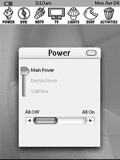 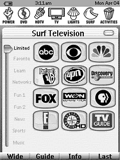
For: Philips Pronto NG By: Melinda | Melinda's OSX PCF This clean and simple design was based mainly on "OS X" graphics, device images from "Daniel's TSU3000" together with some of my own images. System begins on the "power" page where you can turn on/off TV, home theater (DVD) & cable with one button, go the the "lighting" page or go the specific device power controls. Across each page are shortcuts to "power", "DVD", "cable", "TV", "lights", "surf" and "activities". "Surf" includes 9 pages classifying channels into favorites, nets, learn, fun, news, sports and music. |
|
|
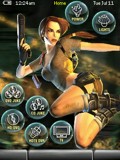 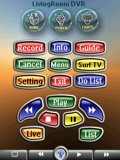
For: Philips ProntoPro NG By: Michael Marciante | Michael's Lara Living Room Complete automated system configuration with discrete power. DVD and CD changer control via pictures for movies and music CDs. TV channel logos included for Adelphia Cable. This started with Mr. Tonks' config as a base, but was customized to my system. |
|
|
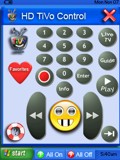 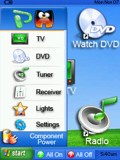
For: Philips ProntoPro NG By: Patrick ORourke | Patrick's Windows XP Style A user friendly color design that looks like Windows XP. The "desktop" contains macro shortcuts and the Start Menu provides direct access to individual component controls. The component controls open in their own windows. The windows can be closed by clicking the X in the top right corner or by launching the Start Menu. Start Menu can be closed by selecting a component, clicking anywhere on the desktop or clicking the Start Menu button again. I borrowed from many sources. |
|
|
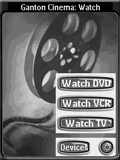 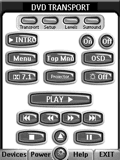
For: Philips Pronto NG By: Paul Gere | Paul Gere's Setup This is an intuitive, activity-based system that is easy for anyone to use. Main screens are clean and simple with jumps to more technical screens for each device. Many ideas here from other systems used in different/unique ways and many, many buttons from Daniel (thanks!). Extensive use of hard buttons and full panel screens for maximum effect. Hope this gives you some ideas! |
|
|
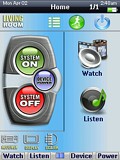 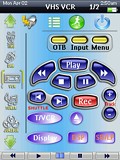
For: Philips ProntoPro NG By: Paul Simms | Paul Simms' New Theme This is an update to my published PCF with a revised GUI and new battery icon. Includes DirecTiVo IR codes for addresses #1 and #2. |
|
|
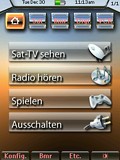 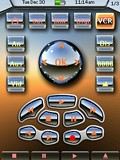
For: Philips ProntoPro NG By: Rainer Siess | Rainer's Chrome Extension This PCF offers an extension to the crome buttons of the standard 7500 gallery. It includes chrome transport and chrome toggles, which are missing in the standard. A second set of buttons has a transparent HP-calculator-style, which is good to read and recognize. |
|
|
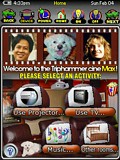 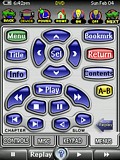
For: Philips ProntoPro NG By: Randy Mangoba | Randy Mangoba's Task-Based Setup This Pronto remote control configuration has a task-based user interface that maximizes ease of use for both casual and advanced users, while providing full access to all the audio/video devices' remote commands for complete end-user control. In addition to useful automated wizards and macros that turn on all the necessary devices and set their inputs and outputs accordingly based on what the user wishes to do, this remote has a number of useful features, including: a tab-based user interface for directly accessing the proper page of a remote device, user-friendly screens with progress bars for long running macros, an "activity" bar at the top of each page containing commonly used commands, extensive help text, a special page for allowing the Pronto's screen to be cleaned, and many more user-friendly features. Buttons are color-coded so that advanced use only functions are colored orange. This configuration is the TSU7000 colored version of the TSU3000 PCF I originally submitted in 2004, but has additional usability enhancements as well as support for significantly many more devices. |
|
|
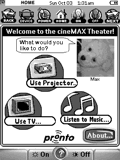 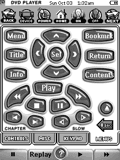
For: Philips Pronto NG By: Randy Mangoba | Randy Mangoba's Task-Based Setup This Pronto remote control configuration has a task-based user interface that maximizes ease of use for both casual and advanced users, while providing full access to all the home theater devices' remote commands for complete end-user control. In addition to useful automated wizards and macros that turn on all the necessary devices and set their inputs and outputs correctly based on what the user wishes to do, this remote has a number of useful features, including: a tab-based user interface for directly accessing the proper page of a remote device, user-friendly screens with progress bars for long running macros, an "activity" bar at the top of each page containing commonly used commands, extensive help text, a special page for allowing the Pronto's screen to be cleaned, and many more user-friendly features. |
|
|
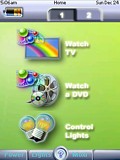 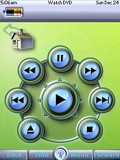
For: Philips ProntoPro NG By: Richard McLane | Richard's TSU9600 on TSU7000 I really like the simplicity of the TSU9600's design, so I've basically ported it to the TSU7000. This includes new battery icons, sending signal and pages. I've also used Daniel T's help page. I think it passes the babysitter test for ease-of-use! |
|
|
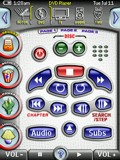 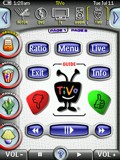
For: Philips ProntoPro NG By: Rick Levesque | Rick Levesque's TSU7000 Version 4.01 This is an update of my previous version. I have added a few more channel icons and XM radio icons for DirecTV. A blending of Daniel Tonks' and Lowpro's PCFs for the TSU7000. Changes include additional TV logos including logos for the SF Bay Area local stations, and a slightly different DVD category list. |
|
|
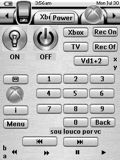 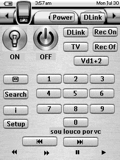
For: Philips Pronto NG By: Eduardo Rossi | Rossi's Remote This is nothing more than Adam Bursey's design (posted here), adapted to my devices, and simplified a bit for my wife to play with it. It's a very functional and easy to use setup, divided by ACTIVITY and not by component. TV, for example will have controls for TV, Receiver and cable box. It has a simple screen for every activity and then all the other controls used less often in separate menus. There is some use of macros. Enjoy and feel free to tweak it around and post your version here. |
|
|
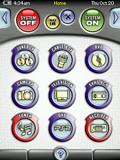 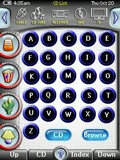
For: Philips ProntoPro NG By: Ruben Del Valle | Ruben Del Valle's System PCF v2.0 This PCF file follows the layout of Daniel's wonderful file. My PCF has a photo album where you can add your favorite photos. In addition my file contains both CD and DVD Jukebox where you can find and index your DVDs and CDs easily by name or artist. Includes new components, improvements on DVDs and CDs navigation system, plus other minor adjustments. All IR codes of each component are in individual format. |
|
|
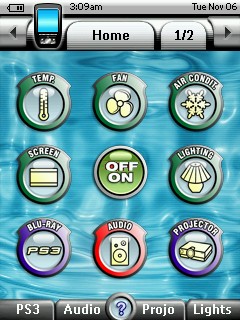 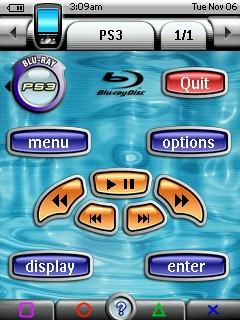
For: Philips ProntoPro NG By: Stipus | Stipus' PCF The CD-Juke section has a catalog with icon for each CD in the CD changer. Just choose one of the icons to start the disc. Thanks to Daniel Tonks for the icons. |
|
|
More results: [ < Back | Next > ]
Return to the index of all files. |










