|
 |
|
|
X-10 Lighting IR543 For: Philips Pronto NG By: Jonathan Schalliol | Part of a complete system PCF file. |
|
|
X-10 Lighting IR543AH For: Philips Pronto NG By: Adam D. Bursey | Part of a complete original system PCF file. |
|
|
X-10 Lighting IR543AH For: Philips ProntoPro NG By: August DeWinkler | Part of a complete color system PCF file. |
|
|
X-10 Lighting Marmitek IR7243 For: Philips ProntoPro NG By: John David Williams | Part of a complete color system PCF file. |
|
|
X-10 Lighting TM13U For: Philips Pronto NG By: Alan Gabrel | Codes that work with this transeiver module and the RU950. |
|
|
|
|
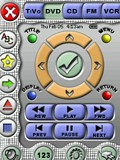 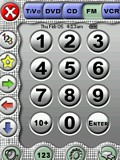
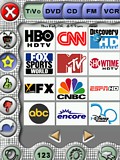 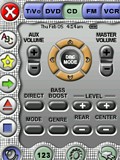
For: Philips ProntoPro NG By: Jens Roever | Contest Entry #07: The Works The result of my design: 134 custom-made buttons (not counting spacers & labels)! My favorite button is the volume toggle in the lower right page. Here's what's unique about my configuration:Consistent frame-based GUI with three button groups in frame:
TOP: device selection with trinary button states - pressing a pressed button in the main page of a device executes a setup macro with auto-power-on, etc.
LEFT: device specific buttons, e.g. TiVo: Favorites, Thumbs Up/Down, Slo-Mo
BOTTOM: �orthogonal� (e.g. X-10 & Amplifier are always needed independent media devices), or common functions (Keypad)Modifier buttons, when pressed once, lead to an extra screen � when pressed again they lead back to same deviceEye pleasing �soft� design with fairly correct lighting (shadows, etc.) and well balanced colorsSimplicity � one page operation with most common functionsNo confusing clutter (I put in time, date & battery for completeness only... I actually prefer it without those items, but it's easier to erase them than to integrate them later)The activity signal is still visible, though barely taking up any space nowBackground is defined on the System... (more) |
|
|
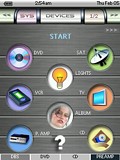 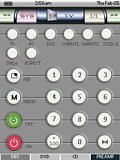
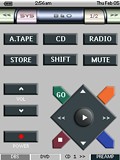 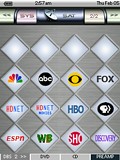
For: Philips ProntoPro NG By: Nas Gabelli | Contest Entry #12: Gizmo-Man This is my attempt to design a unique configuration for the ProntoPro NG. I like to design devices that look similar to the original remote, so others could operate the remote with ease.The TOOL, DEVIVE and PAGE# labels have changed cosmetically. HARD-BUTTON 1 through 4 are reserved for instant access to frequently used devices. HOME and HARD-BUTTON 1-4 also function as page down when pressed again. For additional info, press the [?] button, where available. Note: Some buttons (lights and scene) are not programmed since there are many different ways to send X-10 signals. Also, toggle lights (in the SCENE section) does not work on current version of emulator(1.0.10.0), but works when downloaded to the ProntoProNG. Please download the PCF file and take a look. Unleash your creativity and copy, modify, add and edit to your liking! |
|
|
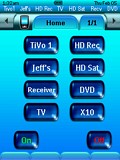 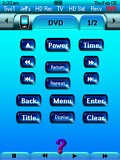
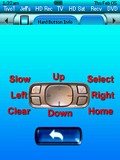 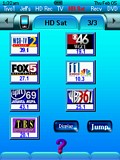
For: Philips ProntoPro NG By: Jeff Cooper | Contest Entry #26: Tranquil Blue This is my first Pronto configuration. My goal was to replace my MX-1000 with the TSU7000, and add a few things that I could not do on the MX-1000. I set out to create a 100% original art work configuration. I created the buttons using Crystal Buttons, followed up with enhancements using PhotoImpact. I also tinted the system bitmaps blue by replacing the bitmaps in the PCF file, and created pressed bitmaps of all buttons to look like they are lighting up when they are pressed.I created a device bar for my major devices. This can be clicked to jump directly to a device although you have to use your fingernail since it so small. I also created an information screen for the device hard buttons. |
|
|
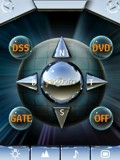 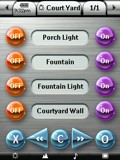
For: Philips ProntoPro NG By: August DeWinkler | August DeWinkler's TSU7000 Second version of what I have liked from all that have posted here. It's got the bits and pieces of others and gallery stuff from Philips. I have modified (cropped and erased) some images for a custom fit. The four categories of my PCF are: Control (Solid Candy Theme); Explore (Modified Envision Theme); Listen (Wood Grain Theme); plus Watch (Blue Candy Transparencies). My Device list is groupings of 5, this way I could use it for programming and quick access. If you can use any of it, have fun! See the readme file for a complete description. |
|
|
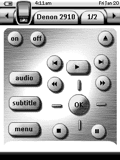 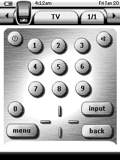
For: Philips Pronto NG By: Axel | Axel's System PCF A complete system setup for the following devices. |
|
|
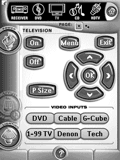 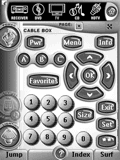
For: Philips Pronto NG By: Benton Zwart | Benton Zwart's Layout This PCF template follows the Tonks standard, with his graphics (and a few others) linked to the IR codes located under a hidden "CODES" tab. I have a fairly simple setup - only 5 devices, with some macros used for the TV where discretes wern't available. Please note that I use the hard buttons for channel up/down, volume up/down, and mute - so these commands do NOT show up on the graphics screens. I have rearranged several of the layouts to get as much functionality on each primary screen as possible - some of the buttons are a little smaller than I'd like, but work well when controlled by a fingernail OR one of the small plastic styluses found with any of today's touch-screen PDAs (Palm, HP, etc). There are a few less-than obvious connections - using the page markers - to get to some hidden pages I wanted access to, but not obvious for the kids (raw codes pages, and other debugging stuff). Have fun! |
|
|
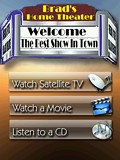 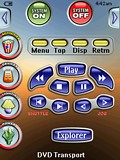
For: Philips ProntoPro NG By: Brad Liston | Brad Liston's Layout There are three ways to use this remote; an ultra-simple home page, a more detailed Activities page, and a comprehensive Devices page. X-10 and Insteon lighting control are provided. Hard buttons are used throughout, including a universal home button and a "Set the mood" scene button available from anywhere. Also there is a hard-button rose for each device. Some of the Denon receiver functionality is not finished, largely because I don't understand some functions of the receiver. If someone would like to colaborate on finishing the 3806 design, please let me know. There are VCR pages but they are undefined at this time. This PCF is easy to navigate as key buttons are available from every screen. Discrete codes for most devices are included. This PCF borrows heavily from the graphics of Daniel Tonks, Steve Yon, and others. Thank you to them for making this possible. |
|
|
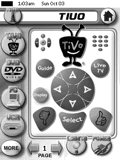 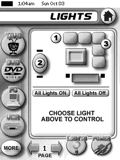
For: Philips Pronto NG By: Christopher Crucitti | Christopher Crucitti's System Drawing from previous full system PCF contributors, and mostly inspired by Daniel Tonks' design, I created this simple system configuration (including most of the graphics) for my modest home theatre system. The most noteable features include a lighting control device, a listing all delivery restaurants in my area of NYC for quick ordering, plus a favorites directory with icons for RCN Manhattan Digital Cable service. |
|
|
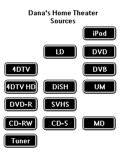 
For: Philips Pronto NG By: Dana Rodakis | Dana's Home Theater Thanks to other submissions that gave me ideas and graphics. Thanks to Daniel Tonks for this site and his help layout. |
|
|
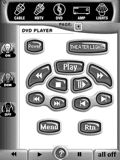 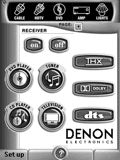
For: Philips Pronto NG By: Dave Nibeck | Dave Nibeck's PCF This PCF is about 96% Tonks, 3% Shaw, and 1% mine (my devices). It was designed primarily for WAF (wife acceptance factor) and babysitter use. It's highly intuitive. |
|
|
More results: [ < Back | Next > ]
Return to the index of all files. |










