|
 |
|
|
TiVo Digital Video Recorder Series 2 For: Philips Pronto NG By: Dennis Wilkinson | Part of a complete system PCF file. |
|
|
TiVo Digital Video Recorder Series 3 (Remote model SPCA-01003-000) For: Philips ProntoPro NG By: Randy Mangoba | Addresses 0 and 1. Part of a complete color system PCF file. |
|
|
TiVo Digital Video Recorder TCD-540080 (Remote model C00034) For: Philips ProntoPro NG By: Scott R. Wolcott | Part of a complete color system PCF file. |
|
|
TiVo Digital Video Recorder TCD-648250B For: Philips ProntoPro NG By: Mark J. Paquette | Clean and tested codes for TiVo Series3 HD PVR. The codes are on panels meant to be linked/aliased to your "pretty" buttons. Four codesets are provided: codeset "0" is a universal codeset and will control a Tivo regardless of the TiVo's IR codest assignment. Codesets 1, 2, and 3 will control a TiVo assigned to the same number. Also included is an Excel sheet with the HEX codes and an explanation of how to modify them for other codesets (0-9). The same info is provided in a TXT document in case you don't have Excel. According to TiVo, these codes will work with prior TiVo Series 1 and 2, provided it is a TiVo box (not Sony, etc.) |
|
|
Toshiba Digital Video Recorder RS-TX20 For: Philips ProntoPro NG By: Randy Mangoba | TiVo Series 2, addresses 0 and 2. Part of a complete color system PCF file. |
|
|
|
|
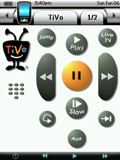 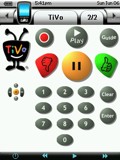
For: Philips ProntoPro NG By: Mark Nolan | Design Elements - Mark Nolan's TiVo Adaptation This file includes an adaptation of Dan Haddix's TiVo CCF for use with the ProntoPro NG and a set of bitmaps which might be useful to someone creating their own version. |
|
|
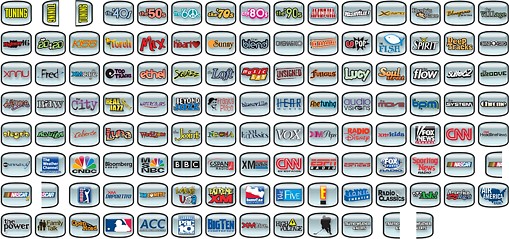
Network Logos - LP's Collection of XM Radio Logos These XM logos cover the compliment of XM's channel offerings as of October 2005. Please note that the button graphic itself was taken directly from Daniel Tonks' TSU7000 Layout. Thanks again Daniel for the blank TV button! I would have never taken all the time to work these up without it! Previews below are shown far smaller than their actual size. |
For: Philips ProntoPro NG By: Frank Davis | |
|
|
|
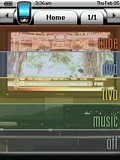 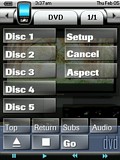
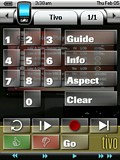 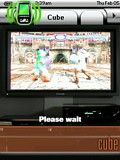
For: Philips ProntoPro NG By: Brian Hauer | Contest Entry #03: Simple Theater My approach to developing the user interface for my ProntoPro NG was focused on practicality and function. The PPNG's utility, in my opinion, comes from its many hard buttons--allowing a user to issue commands without looking down at the remote. My design therefore tries to use the hard buttons for the most common operations: arrow navigation, chapter advance, home page, the "TiVo" button, and so on.I believe the most practical user interface for an entertainment system is one that focuses on activities rather than devices. The design I've implemented hides the devices that are merely providing "output" (namely the receiver and the television). The activities are roughly analogous to "input" devices (DVD player, DirecTivo, GameCube, and music). However, the user interfaces for these activities are often sparse--limited to only those remote control features I have ever utilized while engaged in an activity. If I'm playing GameCube, I only care about controlling inputs, adjusting the volume, and switching the television aspect. Where possible, I have tried to keep buttons that provide a given function across multiple activities in roughly the same place. For example, a "Go"... (more) |
|
|
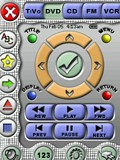 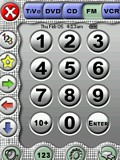
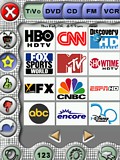 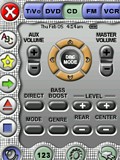
For: Philips ProntoPro NG By: Jens Roever | Contest Entry #07: The Works The result of my design: 134 custom-made buttons (not counting spacers & labels)! My favorite button is the volume toggle in the lower right page. Here's what's unique about my configuration:Consistent frame-based GUI with three button groups in frame:
TOP: device selection with trinary button states - pressing a pressed button in the main page of a device executes a setup macro with auto-power-on, etc.
LEFT: device specific buttons, e.g. TiVo: Favorites, Thumbs Up/Down, Slo-Mo
BOTTOM: �orthogonal� (e.g. X-10 & Amplifier are always needed independent media devices), or common functions (Keypad)Modifier buttons, when pressed once, lead to an extra screen � when pressed again they lead back to same deviceEye pleasing �soft� design with fairly correct lighting (shadows, etc.) and well balanced colorsSimplicity � one page operation with most common functionsNo confusing clutter (I put in time, date & battery for completeness only... I actually prefer it without those items, but it's easier to erase them than to integrate them later)The activity signal is still visible, though barely taking up any space nowBackground is defined on the System... (more) |
|
|
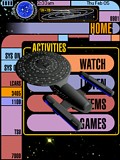 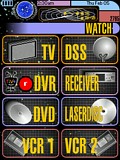
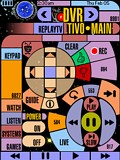 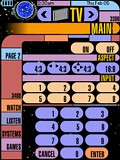
For: Philips ProntoPro NG By: Keith Michaels | Contest Entry #10: Trek7000 This PCF design is based on LCARS (Library Computer Access and Retrieval System), the graphical computer interface seen on certain Star Trek TV series. There are control pages for a TV, DSS receiver, TiVo, ReplayTV, Receiver, DVD player, LaserDisc player, 2 VCRs, CD player, tuner, tape deck, video games, lights, and curtains.A few of the standard system items have been replaced to take advantage of the whole LCD and create a complete design: - The activity icon is now a Star Trek phaser and pops up while the Pronto transmits.
- The battery gauge is a functioning LCARS-style battery gauge.
- Pressing and holding the circular blue logo for 3 seconds takes you to the Pronto's setup pages.
Additional Info:To go to the Home page at any time, press the lower-right "Home" hard button. I tried to leave all device functionality as generic as possible, hopefully allowing most people to use this PCF in their own system without much customization beyond programming their device's IR codes. To simplify programming, a "Codes" page under each device contains buttons with the IR codes for that device. The actual device buttons link to these buttons for their IR codes. |
|
|
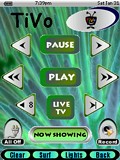 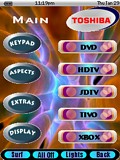
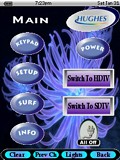 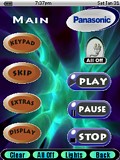
For: Philips ProntoPro NG By: Alden Reine | Contest Entry #29: Sea: My Anenome An all-new design with device specific buttons, backgrounds, and bottom �activity� bars for the four hard buttons at the bottom of the touch screen. I personally prefer pages with as few buttons as possible, so my PCF file reflects this minimalist approach. The way one changes devices in this PCF is by using the �NavMode� hard button at the bottom of the remote. On every page this button will take you to the �Device Overview Template� page, where you can then switch to different devices.I have reworked the majority of the buttons I created for the TSU3000 in color for the TSU7000. I�ve also created several new color buttons as well. �Action buttons� for a variety of activities are included as well as logo �panels� for labeling specific devices from a number of different manufacturers. New color television station buttons are included in the �Surf� section of the Tivo device and the Hughes DSS device. Hope you enjoy my work! Special credit goes to www.DigitalBlasphemy.com for the background anemone images included in my .PCF file. |
|
|
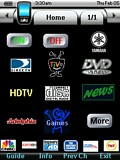 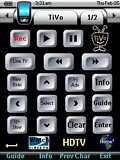
 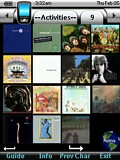
For: Philips ProntoPro NG By: Robert Boazman | Contest Entry #30: Make It Work This is my first PCF design for the TSU7000. I created this design to accommodate my 6 year old son and my wife. Like most, she doesn't want to learn about all the equipment. As she says, "Just make it work."The design is simple to use and is based on our most frequently used activities. These icons are on almost all pages, DirecTV, TiVo and HDTV icons. Since some of the equipment, like the Yamaha, is new to me, I'll be adding functionality over time. Most pages have a browse back button, even though one is hard coded. Easy access to guides and info. A complete collection of CD cover art provides direct access to any CD. TiVo is used frequently. Buttons are built from stock Liatro buttons. Thanks to Daniel and all the Remote Central forum members and their designs. I borrowed from everyone. Special thanks to Dave D'Arche for the Pronto Wizard Guide. It saved me many hours and he was extremely helpful with my email questions. |
|
|
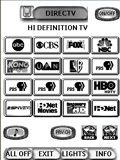 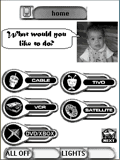
For: Philips Pronto NG By: Bill Kounellas | Bill Kounellas' "Wife Proof" PCF The best description for this PCF is "Wife Proof"! Features question-based navigation, easy-jump buttons and automation macros. Many thanks to Daniel, Andrea, Archer, and a ton of others whose example layouts, bitmaps and ideas where utilized to create this. |
|
|
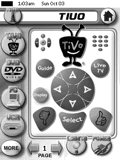 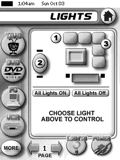
For: Philips Pronto NG By: Christopher Crucitti | Christopher Crucitti's System Drawing from previous full system PCF contributors, and mostly inspired by Daniel Tonks' design, I created this simple system configuration (including most of the graphics) for my modest home theatre system. The most noteable features include a lighting control device, a listing all delivery restaurants in my area of NYC for quick ordering, plus a favorites directory with icons for RCN Manhattan Digital Cable service. |
|
|
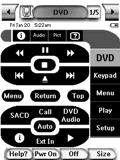 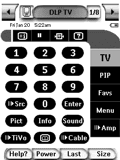
For: Philips Pronto NG By: Dave Swindell | Dave Swindell's TSU3000 Christmas brought a new Denon AVR-4306 receiver! I've updated my standard home theatre PCF file with lots of 4306 discretes, as documented in the Denon IR documentation on the web site. Of special note are discretes for complete Zone 2 and Zone 3 control, XM-Connect and Play support, including an XM chanel guide with *all* current XM stations programmed for one button access via the Denon, and macros for zone 2 and zone 3 control. I'll be working on iPod and net audio support soon, but I wanted to get this version upload so others can access the discretes. Note that all discrete codes are on "hidden" pages prefixed "IR" There are several hundred IR codes provided, thanks to utilities by Paul Friedlander and John Fine, as well as the Denon documentation. |
|
|
More results: [ < Back | Next > ]
Return to the index of all files. |