
The following page was printed from remotecentral.com:
Before you continue!This file area has been replaced with a newer one! This section is no longer being updated and is presented for archival purposes only. As it becomes increasingly out of date, some files may show as unavailable. For free access to all of these downloads and many newer ones, visit our NEW file area at: http://files.remotecentral.com
You are currently browsing through the Philips Pronto NG TSU3000, TSU3500, RU950, RU960, ProntoPro NG TSU7000, TSU7500, RU980, RU990, Marantz RC5400 & RC9500 file area. To return to the beginning click here. |
|
|
|
|
|
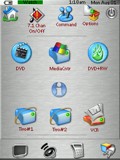 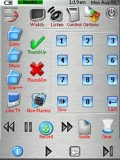
For: Philips ProntoPro NG By: Paul Simms | Paul Simms' Noia KDE Theme Based on the "Noia" KDE icon theme, this is a simple activity-based PCF, while allowing the user a reasonable amount of control outside of the activity macros. For activity macros, it is assumed the Display/TV, A/V Receiver and Video Processor are powered on (Use "System On" from the home page) before you invoke the macro. Note: See PCF configuration for device hard button mapping. In general, the button top-left of cursor keys invokes a device's menu and the button bottom-left of cursor keys either discretely exits the menu or browse backwards. All other hard buttons operates based on their icon labels or similar. |
|
|
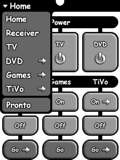 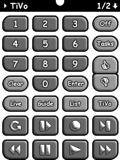
For: Philips Pronto NG By: Peter A. Kemmer | Peter A. Kemmer's Custom Design Presenting the HD DirecTV TiVo edition of my Pronto NG PCF! With each new release I've put a ton of attention into making it simpler to navigate, easier to read, and harder to goof up. Even people with large fingers should find the clearely labeled, large, but spaciously arranged buttons to their liking. Quickly change source, navigate to any device, or rotate through a device's pages using the newly redesigned title bar, now with a pop-up menu that should have been in there from the beginning! Toss in task-based macros (with progress bars for the long ones} and you have an efficient system that's a real no brainer to use. Includes all the raw bitmaps and Photoshop source files. Comprehensive documentation can be found at http://www.ratsnest.com/pronto/ |
|
|
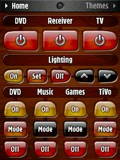 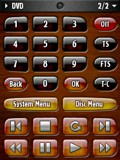
For: Philips ProntoPro NG By: Peter A. Kemmer | Rat's Nest: Amber Alert Presenting the ProntoPro edition of my complete system setup file, now in gorgeous polished wood and tortoise shell! With sleeker curvres and more distinctly grouped buttons, finding your way is even more natual than before. In each new release I've put a ton of attention into making it easier to use and harder to goof up. Even people with big fingers should find the clearely labeled, large, yet spaciously arranged buttons to their liking. Quickly change source, navigate to any device, or rotate through a device's pages using the title bar, which includes a convenient pop-up menu. Toss in task-based macros (with progress bars for the longer ones) and you have an efficient system that's a real no brainer to use. Includes all the raw images and Photoshop source files if you want to create your own buttons and panels. Comprehensive documentation can be found at http://www.ratsnest.com/prontopro/. |
|
|
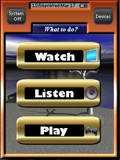 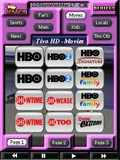
For: Philips ProntoPro NG By: Ray Larson | Ray Larson's TSU7000 This is an original design, except for the TV station graphics, a couple of buttons, and a rework of sat numbering. Color coding for each device, especially usefull for the 3 TiVos. Includes NFL schedule for last year but can be easily changed. This design is activity based, but can be used as a device-based. |
|
|
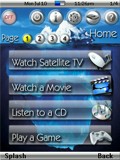 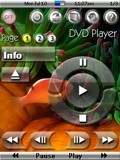
For: Marantz RC9500 By: Scott Grimes | Scott Grimes' System PCF Version 4.1 All of the graphics have been completely redone again � this time I managed to give them a glass-like look. The transport buttons are based on Mike Ventimiglia�s �Envision� design, however, they have also been redone from scratch and given a glass-like appearance. The icons at the top of each device are loosely based on John Sollecito�s design. I even designed a new battery icon which turned out quite nicely. I am an avid SCUBA diver and so the background pictures are themed after this. I have included the original generic background pictures if you wish to use them instead. I completely overhauled the underlying layout of the configuration file and moved the IR codes sections out from each of the devices. The reason I did this was to better access these hidden sections from the remote itself. There is, however, an access code required to enter the macros and IR codes area. It is set as �1, 2, 3, 4, Enter� and can easily be changed to whatever you wish. You can access this area by pressing the �setup� icon an then choosing the �IR Codes & Macros� button. This time I am made a modified version of my PCF file for those with the Pronto version of these excellent... (more) |
|
|
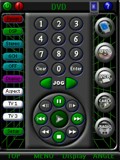 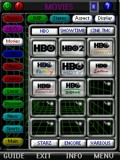
For: Philips ProntoPro NG By: Steve Martin | Steve Martin's Comprehensive PCF Unique design approach that attempts to include frequently used buttons on all panels and to minimize movement between panels. This is an update of my previous TSU7000 submission, with a more refined look. Other unique features include efficient navigation of 100 plus channel and music choice logos; extensive use of extended IR codes for Yamaha RX-V3300 including volume and home banks. See my extensive gallery files in the "Design Elements" file section! |
|
|
More results: [ < Back | Next > ]
Return to the index of all files. |
|
|
Share with the remote control community
by uploading a file to Remote Central!
|










