|
 |
|
|
 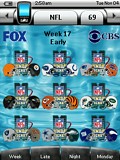
For: Philips ProntoPro NG By: Akash Patel | Design Elements - 2008 DirectTV NFL Sunday Ticket Schedule Once again, thanks to Kevin Davis for his awesome graphics. This is the 2008 NFL season laid out to work with DirecTV's schedule. To use, simply copy the NFL device to your config and program the channels according to DirecTV's NFL schedule. Includes raw design elements. |
|
|
 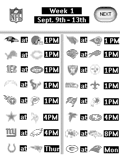
For: Philips Pronto NG By: Jason Humphries | Design Elements - Jason Humphries' NFL Schedule 2004 This pcf has all 17 weeks of NFL game matchups. For each week there are team helmets that you can add your satellite IR codes to which will take you to the DirecTV Sunday Ticket game channel. |
|
|
Network Logos - Dmitry Smolyanitsky's Network Logos Now contains 521 PNG channel logos in Daniel's style. Features DirecTV XM and Dish Network Sirius music buttons. Updated file includes new XM and Sirius icons. Previews below are shown much smaller than actual size. |
For: Philips ProntoPro NG By: Dmitry Smolyanitsky | |
|
Network Logos - Jim Fisher's Color TV Logos A collection of 230 pressed and released color channel logo buttons for Cable/Satellite, local Washington DC/Baltimore MD channels and premium HBO, Showtime and HDTV (DirecTV lineup). Logos are 60x60 pixels and line up nicely on the TSU7000. |
For: Philips ProntoPro NG By: Jim Fisher | |
|
For: Philips Pronto NG By: Jon Linville | Network Logos - Jon Linville's DirectTV Icons This is a PCF containing channel icons. Mostly DirecTV with a few additional channels. |
|
|
 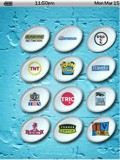
For: Philips ProntoPro NG By: Scott Harris | Network Logos - Scott's Syd7 DirecTV Logos This PCF contains a complete set of channel logos for DirecTV, as well as some local markets from my Syd7 contest entry. The channels are all linked to a "linking page" that just needs to have your devices codes learned or linked to it. It also has a delay button that can be used to add a delay to all buttons if needed. Simply set a delay time on the linking page's delay button. |
|
|
|
|
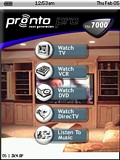 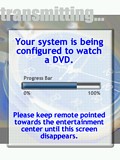
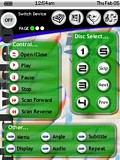 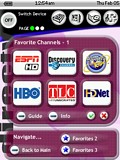
For: Philips ProntoPro NG By: John Sollecito | Contest Entry #11: OS 2k4.0 Pro This design is straight forward and flexible and takes advantage of the advanced graphics capability of the TSU7000. The interface was designed to be user friendly for all who may use it. In most cases, each component has one screen containing the most used buttons that keeps �screen flipping� to a minimum. Furthermore, the user can switch from any component to another from any screen in the interface. For example, if you are watching TV and want to switch to the DVD, all you need to do is tap the DVD icon on the top of the page and the TSU7000 will turn off the TV and switch on all components needed to watch a DVD.What makes this design unique is the presence of the �splash� screens. Splash screens are the �animated� screens that appear while the TSU7000 is performing a lengthy macro. For example, when the TSU7000 is sending the commands to turn on a component, there are many steps it needs to perform. In the 5-7 seconds this takes to complete, this interface will flash through screens updating the user on the status of the task. NOTE: All hard keys will be used to control VOL+/-, CH+/-,MUTE and DIRECTION PAD for each component interface. The first screenshot is of the... (more) |
|
|
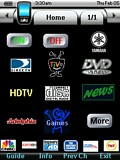 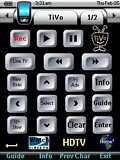
 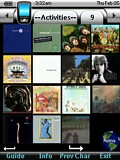
For: Philips ProntoPro NG By: Robert Boazman | Contest Entry #30: Make It Work This is my first PCF design for the TSU7000. I created this design to accommodate my 6 year old son and my wife. Like most, she doesn't want to learn about all the equipment. As she says, "Just make it work."The design is simple to use and is based on our most frequently used activities. These icons are on almost all pages, DirecTV, TiVo and HDTV icons. Since some of the equipment, like the Yamaha, is new to me, I'll be adding functionality over time. Most pages have a browse back button, even though one is hard coded. Easy access to guides and info. A complete collection of CD cover art provides direct access to any CD. TiVo is used frequently. Buttons are built from stock Liatro buttons. Thanks to Daniel and all the Remote Central forum members and their designs. I borrowed from everyone. Special thanks to Dave D'Arche for the Pronto Wizard Guide. It saved me many hours and he was extremely helpful with my email questions. |
|
|
 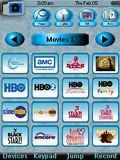
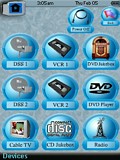 
For: Philips ProntoPro NG By: Jon Linville | Contest Entry #33: Heavy Blue This is a PCF file that I designed 100%. It contains many devices and has a consistent easy-to-use layout throughout. The system page contains a modified version of the chrome Pronto symbol that is used as a home page button. There are two satellite boxes, each with all available DirecTV channel icons, as well as channel icons for my cable TV channels - located in the TV device. The DVD jukebox contains jackets for over 300 DVDs and allow you to jump directly to that disc. The CD jukebox currently has a sample page with CD jackets, I haven't loaded my changer yet. In the discrete codes section there are macros to get to any of the 400 discs in the DVD jukebox and the 400 discs in the CD jukebox.The file is large, but will download to the remote and simulates very well. The learning curve is very small. Enjoy it! |
|
|
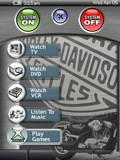 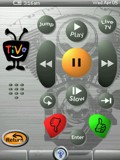
For: Philips ProntoPro NG By: Adam Kendall | Adam Kendall's System Activity based PCF with graphics from Daniel Tonks and others. The brushed metal style lended itself well to this Harley themed layout. Easy to modify, and easy to use. Both child and wife tested. |
|
|
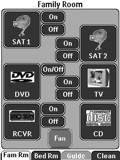 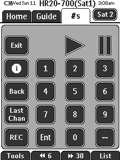
For: Philips Pronto NG By: Dave Maxwell | Dave Maxwell's System Layout This is a complete PCF file with separate hidden pages for the IR codes. Discrete codes for power and input are provided for all devices. |
|
|
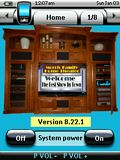 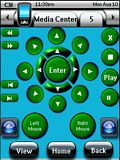
For: Philips ProntoPro NG By: Gary Morris | HTPC with Mouse Controls and Close Button My TSU7000 uses learned keys from the Microsoft Keyboard, all of the individual system remotes including the Microsoft Remote and one additional remote that allows 8 direction Mouse Movements and the much desired "close" button. Please note that in order to make this work right, you must purchase the Microsoft Keyboard and Mouse and the USB IR Dongle that comes with it and the Mouse Remote (B001M56DI0) and the USB IR Dongle that comes with it [Link: Amazon.com]. |
|
|
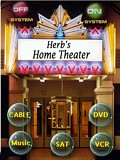 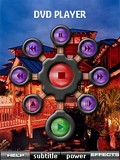
For: Philips ProntoPro NG By: Gary Stevens | Herb's Theater A mix of some favorite remote control files with my own twist. |
|
|
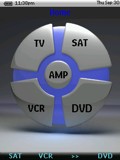 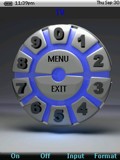
For: Philips ProntoPro NG By: Kevin Lee | Kevin Lee's System PCF Working Chloe system template with the following components. |
|
|
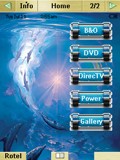 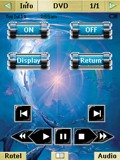
For: Marantz RC9500 By: Mario Yamada | Mario Yamada's RC9500 A complete system setup for the following devices. |
|
|
More results: [ < Back | Next > ]
Return to the index of all files. |