|
 |
|
|
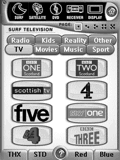 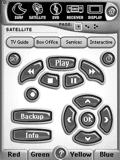
For: Philips Pronto NG By: Leigh Rankin | Leigh Rankin's UK PCF Daniel Tonks' design updated with a comprehensive UK Sky Digital TV guide. |
|
|
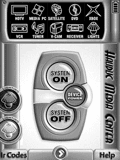 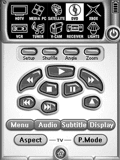
For: Philips Pronto NG By: Ludovic Hauduc | Ludovic Hauduc's Quick Switching PCF My previous remote was the venerable Sony RM-AV2100 and, truth be told, it's hard to beat the simple concept of being able to switch to any component from any page. So, I decided to base my new design on that idea, using the wonderful graphics from Daniel Tonks' design. The top of every page contains 10 icons leading to the main device pages. Switching to a new component does not set the inputs; a second press on the device icon is required to do that. |
|
|
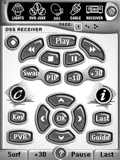 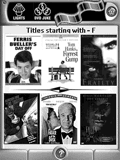
For: Philips Pronto NG By: Matt Bennett | Matt Bennett's Second Setup Building upon Daniel Tonks' graphics and overall design, with some design elements from David Shaw (a few graphics) and Jon Linville (his clean screen program is effective, as well as his pre-made DVD macros which I used for my DVD changer). I have made the PCF very user - and wife - friendly, and easy to code with a dedicated section for IR codes and macros. |
|
|
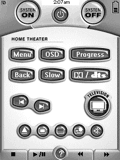 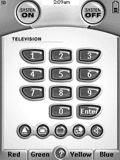
For: Philips Pronto NG By: Matt Duggan | Matt Duggan's System A mixture of quite a few pre-existing templates, plus some new stuff. Graphics taken from Daniel Tonks' template. |
|
|
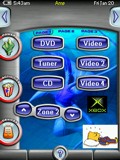 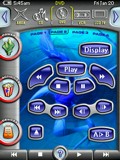
For: Philips ProntoPro NG By: Matt Mellor | Matt Mellor's Aussie TSU7000 In this configeration i used some of the icons from Daniel Tonks version of the 6000 and 7000 and combined so you can see through the device buttons into the background. I also have Australian FTA TV channels and radio icons for melbourne. There is a sleep section which guides you through the steps and set the timer on the reciever and tv, and a zone 2 section to activate the second set of speakers smoothly. |
|
|
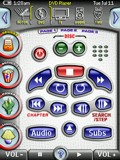 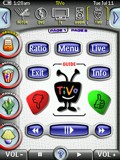
For: Philips ProntoPro NG By: Rick Levesque | Rick Levesque's TSU7000 Version 4.01 This is an update of my previous version. I have added a few more channel icons and XM radio icons for DirecTV. A blending of Daniel Tonks' and Lowpro's PCFs for the TSU7000. Changes include additional TV logos including logos for the SF Bay Area local stations, and a slightly different DVD category list. |
|
|
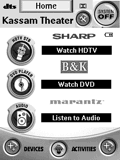 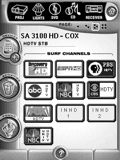
For: Marantz RC5400 By: Shakeel Kassam | Shakeel Kassam's RC5400 A modified version of Daniel Tonks' brilliant TSU3000 configuration for a Marantz RC5400. I also borrowed from Adam Holt's setup. |
|
|
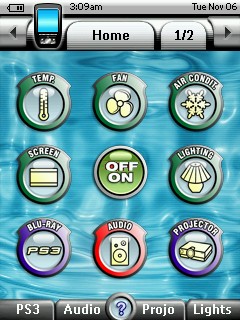 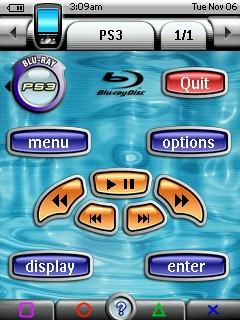
For: Philips ProntoPro NG By: Stipus | Stipus' PCF The CD-Juke section has a catalog with icon for each CD in the CD changer. Just choose one of the icons to start the disc. Thanks to Daniel Tonks for the icons. |
|
|
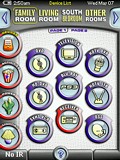 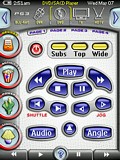
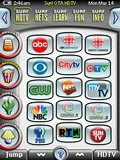 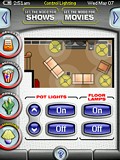
For: Philips ProntoPro NG By: Daniel Tonks | Daniel's Color TSU7000 Layout v1.06 This is it - my personal PCF file for the Philips ProntoPro NG TSU7000 color touchscreen LCD remote control. This completely original and full-screen interface is based on my black-and-white layout for the Pronto NG TSU3000, but is not merely a colorization of that design. In this version I've concentrated on making the layout quicker to navigate (no more home page), easier for others to modify, and far more versatile.Sporting 6 zones with over 42 full device configurations complete with separate code pages with discretes, this setup makes liberal use of hard buttons, a quick main task bar to the left and a sub-task/device bar on top. Also new is a status line with the time, date, battery level and device name, two buttons that can be used for page history or device switching, plus better page numbering. Additional features include Rogers VIP and HDTV digital cable and off-air HDTV television surfing guides for the Toronto, Canada area, an interactive lighting device, hard button help page and my Galaxy NG puzzle game. Included as hidden devices in this file is a gallery which includes over 1000 original graphics that can be used to completely customize this... (more) |
|
|
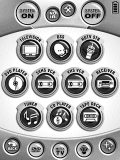 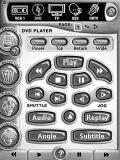
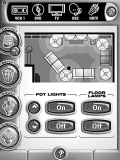 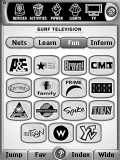
For: Philips Pronto NG By: Daniel Tonks | Daniel's TSU3000 Configuration v1.02 This completely original and full-screen design builds on my previous layouts, but features a new concept with quick-switching to any system device, plus page navigation via hard buttons. Although the layout can be used without a home page, one is still included.Sporting 23 full device configurations with seperate code pages, this setup makes liberal use of hard buttons along with a quick task bar on the left. Other features include cable TV icons for the Toronto area, an interactive lighting device, multi-room control, and "pressed" states for all buttons. Included as a hidden device is a huge button gallery with many original graphics not used in the actual layout. For example you'll find 80+ large device icons, 70+ small icons, 120+ text object and much more! Please read the README file for important information. |
|
|
Daniel's TSU3000 Configuration (Alternative) For: Philips Pronto NG By: Daniel Tonks | v1.02 Is your computer having trouble opening my PCF file? Here are three alternative smaller versions that might help. Includes a file with only the gallery, a file with everything but the gallery, and a stripped file with only the core system. Same description, devices and screenshots as the above file. |
|
|
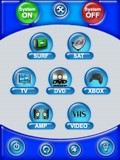 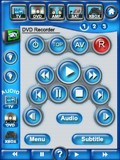
For: Philips ProntoPro NG By: Andrew Elliott | Andrew Elliott's iMac PCF Colour PCF based on Daniel Tonks' TSU3000 PCF (which I loved when I had my 3000). Layout sorta carried out in iMac style. Trying not to remember just how long this took... and it still needs lots done to it, but I had to stop before I went insane! |
|
|
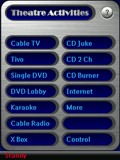 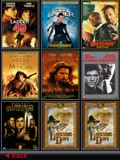
For: Philips ProntoPro NG By: Gary Hamilton | Gary Hamilton's Second TSU7500 PCF This straightforward PCF came about as a result of the need for a design which handles the addition of long strings of text and ongoing button realignment without difficulty. In the past I have concentrated on a customized label for each button because the text looks so much better, but the shear volume of text used in this PCF made the model insupportable. So I ended up settling on a simple button and frame design so that on going additions are made easier. I even developed a simple repositioning graphic (behind the frame) to aid in this constant and frequent process. I then focused on buttons and various frame openings being perfectly aligned so page jumping is visually less tiring and annoying. The priority has become the burgeoning growth of my DVD collection. As if continually adding movie thumbnails to the file and various genres wasn�t enough, I came up with the idea of adding two new search engines! For those who don�t readily recognize the picture on a DVD cover, I added Search by Title and Search by Actor. All of the artwork for this PCF�s design evolved from the needs of the DVD Lobby area and then migrated to the rest of the file for a consistent and professional look... (more) |
|
|
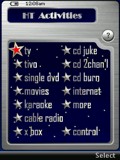 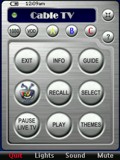
For: Philips ProntoPro NG By: Gary Hamilton | Gary Hamilton's TSU7500 PCF This time I was inspired by fellow Remote Central Pronto NG community member Lowpro and (in particular) by the way his movie library page functions. I eventually decided to convert my whole PCF to operate in this same manner because it allows me to have all 17 activities and control of my theatre readily at hand without making buttons or text too small. At over 700 PAGES and 300 DEVICES, this design is still simple to use and comes in under 7 megs and 69% free memory! The cosmetics reflect a snazzy PDA / Cell Phone. All of the artwork in the PCF is mine except for a couple of buttons borrowed from Daniel Tonks. PCF includes: complete control of 17 theatre activities; really cool (I think) customized loading pages for each activity; a DVD Library of 500 films (and growing); extensive interactive help screens; cable logo access buttons for Dallas area; an easy to use device teaching menu; X10 lighting control with active graphic of my theatre room and a slideshow area of theatre pictures and family photos. Special thanks and recognition to Lowpro, Lyndel McGee, and the great software upgrades from the Pronto Team. Needless to say, I would never have attempted this without the new shortcuts plus drag and drop provided in the new Pronto Edit software. As Lowpro says, "Enjoy"! |
|
|
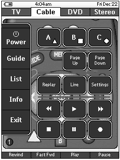 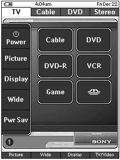
For: Philips Pronto NG By: Michael Griffith | Michael Griffith's Pronto This is my first configuration. I did not use any graphical elements from the Daniel Tonks remote that I'm aware of. Don't get me wrong, it's a nice remote but I wanted to try to create something original. My graphics may look dark but they have to be to show up on the TSU3000 (i.e they're not that dark on the remote). Like many of the configurations here, I created a hidden page of codes for every device then linked the buttons to the code pages. I learned the codes for every button on every remote that pertained to the device regardless of whether or not I intended to use it in my design. I thought that if by chance I had a remote that someone was looking for that they might appreciate having the entire remote. Most of my devices have two or three GUI pages. At the top are tabs with devices related to each other. The white tab indicates the current page and the dark tabs are buttons to switch to the other devices. On the left side of each screen is a block of common buttons that carry over to each page. In the middle is a graphic that I created and what I would consider rather large, simple buttons that are easy for me to press. See the readme.txt file for more details. |
|
|
More results: [ < Back | Next > ]
Return to the index of all files. |










