 |
 |
|
|
Philips Pronto NG Remote Control File Area
|
|
 |
|

10/10/25 - It’s been so long since we’ve last seen you!
10/24/22 - In searching for the perfect day, Timmy discovers something unexpected!
9/04/22 - That childhood favorite is back in a new Timmy video.
7/31/22 - It’s time for my second new Just Like Timmy video!
7/12/22 - Why not check out my new YouTube animation channel, Just Like Timmy!
|
|
 |
|
|
The following page was printed from remotecentral.com:
Before you continue!This file area has been replaced with a newer one! This section is no longer being updated and is presented for archival purposes only. As it becomes increasingly out of date, some files may show as unavailable. For free access to all of these downloads and many newer ones, visit our NEW file area at: http://files.remotecentral.com
You are currently browsing through the Philips Pronto NG TSU3000, TSU3500, RU950, RU960, ProntoPro NG TSU7000, TSU7500, RU980, RU990, Marantz RC5400 & RC9500 file area. To return to the beginning click here. |
|
[ < Back | Next > ]
[ Page: 1 ] |
Sort by: [ Title | Date | Author ] |
|
|
Denon Receiver AVR-4802 (Remote model RC-8000) For: Philips ProntoPro NG By: Randy Mangoba | Part of a complete color system PCF file. |
|
|
Denon Receiver AVR-4802 (Remote model RC-8000) For: Philips Pronto NG By: Randy Mangoba | Part of a complete system PCF file. |
|
|
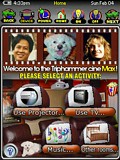 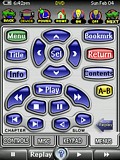
For: Philips ProntoPro NG By: Randy Mangoba | Randy Mangoba's Task-Based Setup This Pronto remote control configuration has a task-based user interface that maximizes ease of use for both casual and advanced users, while providing full access to all the audio/video devices' remote commands for complete end-user control. In addition to useful automated wizards and macros that turn on all the necessary devices and set their inputs and outputs accordingly based on what the user wishes to do, this remote has a number of useful features, including: a tab-based user interface for directly accessing the proper page of a remote device, user-friendly screens with progress bars for long running macros, an "activity" bar at the top of each page containing commonly used commands, extensive help text, a special page for allowing the Pronto's screen to be cleaned, and many more user-friendly features. Buttons are color-coded so that advanced use only functions are colored orange. This configuration is the TSU7000 colored version of the TSU3000 PCF I originally submitted in 2004, but has additional usability enhancements as well as support for significantly many more devices. |
|
|
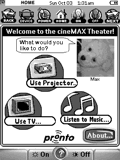 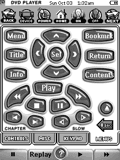
For: Philips Pronto NG By: Randy Mangoba | Randy Mangoba's Task-Based Setup This Pronto remote control configuration has a task-based user interface that maximizes ease of use for both casual and advanced users, while providing full access to all the home theater devices' remote commands for complete end-user control. In addition to useful automated wizards and macros that turn on all the necessary devices and set their inputs and outputs correctly based on what the user wishes to do, this remote has a number of useful features, including: a tab-based user interface for directly accessing the proper page of a remote device, user-friendly screens with progress bars for long running macros, an "activity" bar at the top of each page containing commonly used commands, extensive help text, a special page for allowing the Pronto's screen to be cleaned, and many more user-friendly features. |
|
|
Denon Receiver AVR-4802 For: Philips Pronto NG By: Dave Nibeck | Part of a complete system PCF file. |
|
|
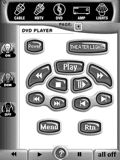 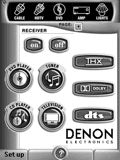
For: Philips Pronto NG By: Dave Nibeck | Dave Nibeck's PCF This PCF is about 96% Tonks, 3% Shaw, and 1% mine (my devices). It was designed primarily for WAF (wife acceptance factor) and babysitter use. It's highly intuitive. |
|
|
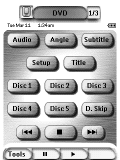 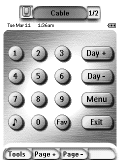
For: Philips Pronto NG By: John Sully | John Sully's "Plain" PCF This is just a plain vanilla TSU3000 PCF. It uses stock graphics and the stock navigation system. |
|
|
| Return to the index of all files. |
|
|
Share with the remote control community
by uploading a file to Remote Central!
|
|
|
|
|







