The following page was printed from remotecentral.com:
Before you continue!This file area has been replaced with a newer one! This section is no longer being updated and is presented for archival purposes only. As it becomes increasingly out of date, some files may show as unavailable. For free access to all of these downloads and many newer ones, visit our NEW file area at: http://files.remotecentral.com
You are currently browsing through the Philips Pronto NG TSU3000, TSU3500, RU950, RU960, ProntoPro NG TSU7000, TSU7500, RU980, RU990, Marantz RC5400 & RC9500 file area. To return to the beginning click here. |
|
[ < Back | Next > ]
[ Page: 1 ] |
Sort by: [ Title | Date | Author ] |
|
|
|
|
DVDO Video Processor iScan HD+ For: Philips ProntoPro NG By: Barend Hendriksen | Part of a complete color system PCF file. |
|
|
Marantz DVD Player DV9500 For: Philips ProntoPro NG By: Barend Hendriksen | Same codes as the DV9600. Part of a complete color system PCF file. |
|
|
Marantz Receiver SR9600 (Remote model RC3200B) For: Philips ProntoPro NG By: Barend Hendriksen | Part of a complete color system PCF file. |
|
|
Original CD Player Leonardo For: Philips ProntoPro NG By: Barend Hendriksen | Part of a complete color system PCF file. |
|
|
Panasonic Television TH-42PWD6EX For: Philips ProntoPro NG By: Barend Hendriksen | Part of a complete color system PCF file. |
|
|
Panasonic Television TH-42PZ70E For: Philips ProntoPro NG By: Barend Hendriksen | Contains several discretes including power on and off. Should work for many newer Panny plasmas, including full HD ones. |
|
|
Topfield DSS Receiver/DVR TF5500PVR For: Philips ProntoPro NG By: Barend Hendriksen | Part of a complete color system PCF file. |
|
|
|
|
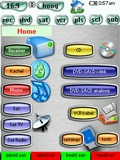 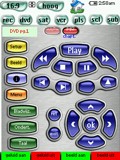
For: Philips ProntoPro NG By: Barend Hendriksen | Barend Hendriksen's PCF I've borrowed and learned many codes into my Pronto. Thanks to Johnsfine for cleaning up the difficult codes for my Leonardo! |
|
|
Return to the index of all files,
or search for even more files by this author. |
|
|
Share with the remote control community
by uploading a file to Remote Central!
|