|
 |
|
|
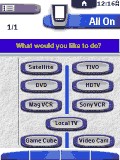 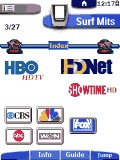
For: Philips ProntoPro By: Kim Aubry | Kim Aubry's Macro Module This system configuration can be best described as my idea of the perfect macro-module! Power On will only turn on what you would like to watch. Later, you can navigate to the "switch" panel. Choose the device you are currently watching. This will take you to a "switch to" panel. Since the remote now knows what you are currently watching, it knows which power/input actions to execute, in order to switch to your new device. The power off function works the same way. There are also DirecTV channel logos in a unique "Surf" section. |
|
|
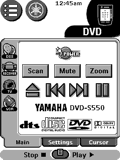 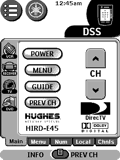
For: Yamaha RAV-2000 By: Matthew Zenkar | Matthew Zenkar's RAV-2000 Now with DishPVR 625! As with my previous Hughes HIRD-E45 DirecTV remote, the DishPVR 625 remote has most of the Dish Network channels (except most PPV Channels) as of December 29, 2005 conveniently arranged in the categories given on the Dish Network America's Top 180 basic package description from the Dish Network web site. The IR codes were learned from the number one remote. |
|
|
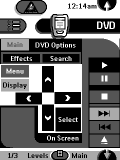 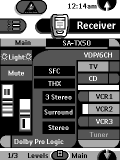
For: Philips TS-1000 By: Mikel Draghici | Mikel Draghici's CCF File My thanks to the many people who have posted and inspired Star Trek TNG CCFs (I also based my design on some of the original pix). I am still fine tuning the design for ease and finger tipquick access. |
|
|
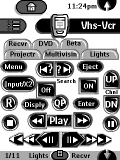 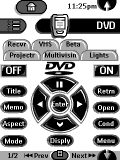
For: Philips TS-1000 By: Paul Nash | Paul Nash's Pronto Updated CCF with tabbed panels for DirecTV channels, discrete on/off for most components. |
|
|
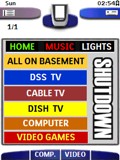 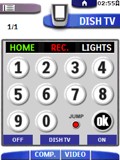
For: Philips ProntoPro By: Scott P. | Scott's Color Configuration A little bit of everything in this CCF, with a great DirecTV icon navigation - enjoy! |
|
|
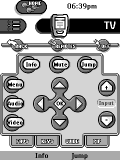 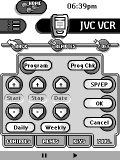
For: Philips TS-1000 By: Steve Hall | Steve Hall's Pronto Setup Version 1.3 of my CCF based on Dale's GUI design. It includes discrete codes for all components (except the Panasonic VCR), surf buttons for 50+ DirecTV channels & most DSS music channels, my own very small 2000 calendar (36K), X-10 lighting control, and a MD keyboard with direct access to every available character. |
|
|
 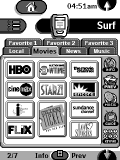
For: Philips TS-1000 By: Terry Ball | Terry Ball's System My CCF includes support for DirecTV with a surf capability for TV and Music Choice. The layout has been designed so that most "control" icons are on right-hand side of LCD display. |
|
|
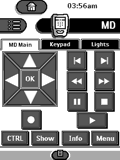 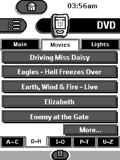
For: Philips TSU2000 By: Steve Rosing | Steve Rosing's Custom Interface This an update of my original system CCF. I have added DVD library browse screens, an editable welcome screen, new graphics and buttons. I have also included my button and tab library in the CCF. |
|
|
More results: [ < Back | Next > ]
Return to the index of all files. |










