The following page was printed from RemoteCentral.com:
Before you continue!
This file area has been replaced with a newer one! As of 2011, this section is no longer being updated, and some files may show as unavailable. For free access to all of these downloads and many newer ones, visit our NEW file area at: http://files.remotecentral.com
You are currently browsing through the Philips Pronto Professional TSU9800, TSU9600, TSU9400, TSU9300, TSU9200 and Marantz RC9001 file area. To return to the beginning click here.
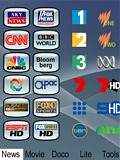
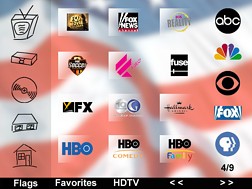
v1.5 Well, I've now crossed over to Foxtel (IQ2), so the HD cable channel logos are now included along with the SD Foxtel/Austar channels and transport buttons for Foxtel. Network logos for SBS2 (launched 1 June) and ABC3 (imminent) also added. Significant revision to main channel selection page. Balance of logos are in the "extras" section at the back. Enjoy.
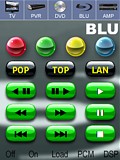
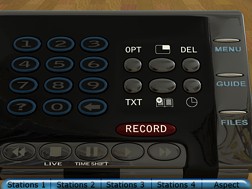
GRAND PRIZE WINNER! The idea behind Prototypes is: how might a hard-buttoned remote control look if it were designed specifically for watching TV, DVD or PVR?
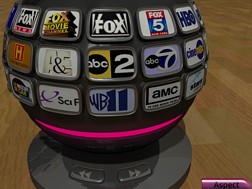
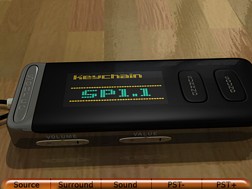
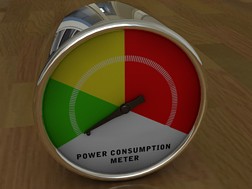
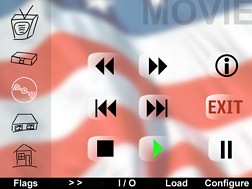
Change stations from an elegant chrome sphere placed on your couch table, control your DVD player via a device that is quite similar to today’s business phones, or switch your PVR with a PDA-like gadget. Or wouldn’t a keychain remote control for your receiver be pretty cool?
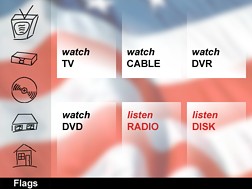
Prototypes features elegant near-photorealistic graphics, dynamic transitions, help screens for every device and intuitive navigation. If you don’t own a TSU9600 to test this on, please don’t only watch the graphics on the simulator, but take a peek at the full resolution graphics.
I hope you like this design – any feedback would be gladly appreciated!
Designed for visual interest as well as visual simplicity and consistency.
Designed for a minimal amount of screen changes when in use (e.g. network channels as punch throughs, cable channels and redirection to transport buttons all appear on the same screen; the page up and down button has been converted to cable channel up and down to facilitate these “multi-use screens”).
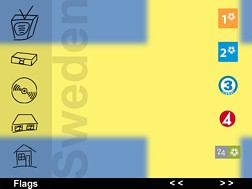
Whilst the device is designed for US users in the first instance, baseplate masters (each with national flag and corresponding local networks) have been created for 25 other countries and can be used to change over the system page elements and network punch-throughs - Argentina, Australia, Canada, Denmark, Finland, France, Germany, Greece, Hong Kong, Hungary, Ireland, Italy, Japan, Netherlands, New Zealand, Norway, Poland, Portugal, Russia, Spain, Singapore, South Africa, Sweden, Switzerland and the UK. Each element on the alternative masters is readily movable/removable.
My first attempt at a complete system XCF, very basic (but works well) and has codes for many components that I havent found elsewhere. It also uses the RFX9400 Wireless Extender.
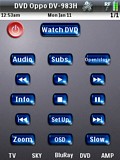
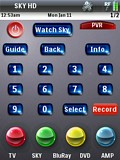
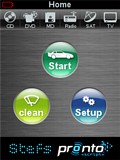
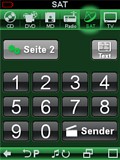
EFE - "easy for everyone". After downloading to your 9400 press "start", lay back and enjoy all the macros. Use the home key to reach the main page of selected device, press the arrow key to get to the macros for this device. With the small direct keys on the top of most pages you jump to other devices without using the macro. Pressing the book key (looks like two opened pages) you'll reach the amp if you want to select a source manually. From the amp page you reach the home page with the 5th hardkey (house symbol). All the buttons will remind you a little bit of the iPhone. They are designed with PaintShopPro and optimized for best readability and nice optics in crystal style. Each Device has its typical colour for best clarity. Hope you like it, its made with German Gruendlichkeit ;-)