|
 |
|
|
Yamaha Receiver RX-V870 For: Philips ProntoNEO By: Richard Hunger | Part of a complete system NCF file. |
|
|
|
|
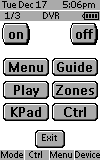 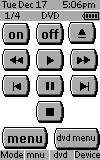
For: Philips ProntoNEO By: Andy Scott | Andy Scott's NEO NCF Press the Macro button (I know it's lame, but hey it works) this brings up the main driver screen. My wife only has to press the "Watch TV" button and presto, everything needs to watch TV is turned on and set into the right mode and the appropriate DVR menu is on the TSU5000.(I love this device). When she's done, she clicks the "Turn Off" button and shuts it all down. I took me about 10 hours of developing this (mostly because my TV Remote was broken). The time goes by so fast when you are playing with something like this. I think all of the remote buttons are programmed for the devices listed above. The Learn mode of the ProntoNEO was excpetionally easy. Before I started I installed the latest firmware patch. I think this helped. |
|
|
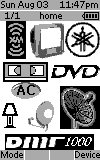 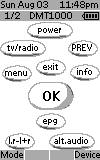
For: Philips ProntoNEO By: Chris Roy | Chris Roy's NCF As always, a work in progress. I can control all my AV stuff plus X-10 lighting throughout the house and living room air conditioner. Has a Neo-hacked startup page. |
|
|
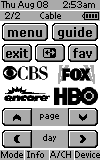 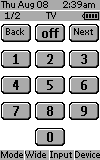
For: Philips ProntoNEO By: Doug Roswold | Doug Roswold's NCF Setup Mostly standard graphics with a few of my own downloaded network logos. I also added an 'Amp' button on each components first screen that's linked to the receiver input selector for that component. |
|
|
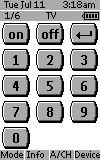 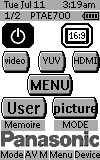
For: Philips ProntoNEO By: Franck Careddu | Franck Careddu's System A complete system setup for the following devices. |
|
|
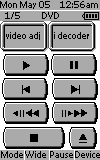 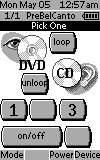
For: Philips ProntoNEO By: Freddi | Freddi's ProntoNEO There are many bitmaps for European, international and Israeli television in the SAT section of my file. |
|
|
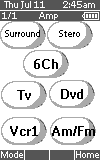 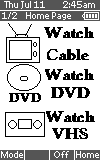
For: Marantz RC3200 By: Joe Charles | Joe Charles' Complete System Discrete codes for TV and receiver with one-touch marco home page. Lots of custom design bitmaps. Power buttons on every page. Used NEO Hacker for the custom home page. |
|
|
 
For: Philips ProntoNEO By: John Kelly | John Kelly's ProntoNEO System file for all these components, plus some macros for setting sound to the right device etc. |
|
|
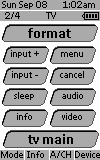 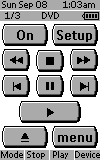
For: Philips ProntoNEO By: Kevin | Kevin's Home Theater This is my first complete setup file -- after much research and trial and error, it's finally complete. It includes several devices that I haven't yet seen on the boards. It also includes a couple of custom graphics for the Xbox and PS2 gaming systems, a tabbed macros setup as the device start page, and a lot of channel graphics that I pulled from other kind posters to this board. |
|
|
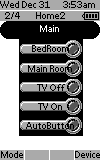 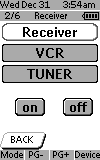
For: Philips ProntoNEO By: Paul Deschenes | Paul Deschenes's System This file is set up for 2 rooms of equipment. Several menu driven macros for automation setting up DVD, VHS, Laptop PC MP3 player, Gamecube, XBox and more. Custom Cable TV categorized directory menu with channel buttons. Many discrete codes included for devices. Note: the MAIN title bar on the device menu is a drop down menu when pressed. Created with NEOEdit, NEOHacker and Tonto. |
|
|
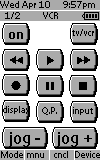 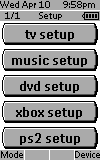
For: Philips ProntoNEO By: Richard Hunger | Richard Hunger's No Frills NEO No Frills setup (no custom BMPs) including Sonic Blue's new broadband ReplayTV (very hard to learn/input IR codes). Hard keys in device overview control Replay for directional and channel and receiver for volume/mute. All devices' volume keys send to receiver except for "TV", which controls its own volume. |
|
|
More results: [ < Back | Next > ]
Return to the index of all files. |










