|
 |
|
|
User Written Documentation - ProntoNEO IR Format For: All Models By: Pat Spector | Update of document which describes the deciphered code format the ProntoNeo uses for learned IR codes. This code format works for the Pulse Coded Modulation (Sony format), the Space Coded Modulation (NEC format) and the Phase Shift Modulation format RC5 or bi-phase. These three modulations cover the majority of all IR remote codes. Pioneer, Onkyo, Akai, Canon, Goldstar, Hitachi, Kenwood, NAD, Teac and Yamaha are all based on the NEC format. Lutron, Sharp, Toshiba and X10 have their own variation of the NEC format. Arcam, Meridian, Philips and Wharfdale are based on RC5. |
|
|
Utilities - Discrete Code Collection For: All Models By: Raymond Wood | A huge collection of discrete codes for the Neo, converted from Pronto hex code using NeoHacker. Includes codes for Denon, GE, JVC, Mitsubishi, Panasonic, Pioneer, RCA, Sony, Technics and Yamaha. |
|
|
Utilities - NeoDiff For: All Models By: Steve Baber | A tool that highlights the differences between two NCF files. Based on the NeoHacker code. Useful for making sure the Neo understood and kept everything you downloaded to it. |
|
|
Utilities - NeoHacker For: All Models By: Charles Lee | v0.7 NEOHacker is an editor for the ProntoNEO's configuration files. It lets you hack the NCF files created by the NEOedit software so that you can modify all sorts of parameters. This includes creating your own custom startup page and adding your own IR codes. |
|
|
Utilities - NeoSynch For: All Models By: Tim Builer | v1.4 Allows re-arranging device pages in order to create a custom Device Overview page. Now supports the TSU501. |
|
|
Utilities - Photoshop Color Table For: All Models By: Bill Summers | NEO indexed color table for Adobe PhotoShop, NEO color palette bitmap, and brief instructions for use. |
|
|
Utilities - Pronto2NEO Converter For: All Models By: Pat Spector | v1.5.2 You can now enter RC5 "5000" series or RC5 System_Command numbers to the excel spreadsheet that converts Pronto codes to ProntoNeo codes. It should work for most equipment like Akai, Canon, Goldstar, Hitachi, Kenwood, Lutron, NAD, Onkyo, Panasonic, Pioneer, RCA, Sony, Teac, Toshiba, Yamaha and X10. The converter now works for RC5 codes like Meridian, Philips and Wharfdale. |
|
|
Utilities - TKNeoSuite and TKNeoConverter For: All Models By: toasterking | v1.2.1 TKNeoSuite contains tools to help you better manage an environment which uses both TSU500 and TSU501 remotes. |
|
|
|
|
For: Marantz RC3200 By: Aaren Jensen | Aaren Jensen's RC3200 Setup Updated with a new button theme and icons. This file has gone though many saves and changes as I have added the various devices. I'm extremely happy with this purchase. |
|
|
For: Marantz RC3200 By: Adam Julin | Adam Julin's RC3200 NCF A complete system for the Marantz RC3200 including station logos and some hiden music. I was trying to make it easy to use. Thanks to H�kan Rolandsson for BMP files and ideas. |
|
|
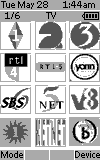 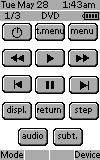
For: Philips ProntoNEO By: Alex Kada | Alex Kada's ProntoNEO Replaced all remotes and put all functionality in my Neo. For the TV I used TV logos (channels received in The Netherlands). |
|
|
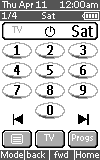 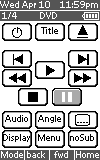
For: Marantz RC3200 By: Andreas Kurth | Andreas Kurth's RC3200 This file is for the Marantz RC3200 contains the codes of my 6 remote controls for my audio/video system. It is the very first usable version, so it's not very beautiful. But it does everything I want to do with the RC3200. Nice buttons, station-logos, more macros etc will follow... |
|
|
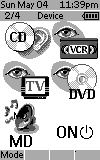 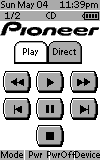
For: Philips ProntoNEO By: Andy Green | Andy Green's RU930 This NCF works via "device" or "activity" modes. This NCF contains television icons, bitmaps and discrete codes (originally for the Pro and translated with Neohacker) taken from Remote Central. My thanks for all the people whose work I used in this file. |
|
|
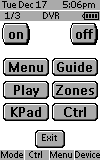 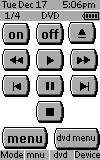
For: Philips ProntoNEO By: Andy Scott | Andy Scott's NEO NCF Press the Macro button (I know it's lame, but hey it works) this brings up the main driver screen. My wife only has to press the "Watch TV" button and presto, everything needs to watch TV is turned on and set into the right mode and the appropriate DVR menu is on the TSU5000.(I love this device). When she's done, she clicks the "Turn Off" button and shuts it all down. I took me about 10 hours of developing this (mostly because my TV Remote was broken). The time goes by so fast when you are playing with something like this. I think all of the remote buttons are programmed for the devices listed above. The Learn mode of the ProntoNEO was excpetionally easy. Before I started I installed the latest firmware patch. I think this helped. |
|
|
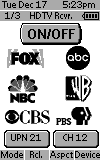 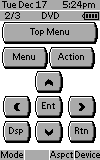
For: Philips ProntoNEO By: Aubrey Page | Aubrey Page's NCF Complete NCF file for Panasonic HDTV and STB. Contains some hard to find IR codes. |
|
|
More results: [ < Back | Next > ]
Return to the index of all files. |










