[ < Back | Next > ]
[ Page: 1 ] |
Sort by: [ Title | Date | Author ] |
|
 |
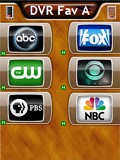 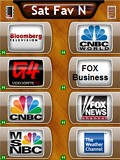
For: URC MX-980 By: FreddieFreeloader | Design Elements - FreddieFreeloader's DirecTV Channel Macros Starting with Darnitol's available icons, I assigned channel number macros beginning with an "exit" press, universal delays, and "enter." The few colored buttons with plain text can easily be replaced once additional icons become available. |
|
|
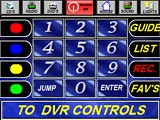 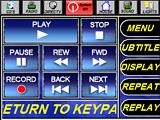
For: URC MX-3000 By: Dean Kline | Dean Kline's New MX-3000 I have taken some great work by others, and added a litte flair. I tweeked the grahics a bit, and added some of my own. I focused on the biggest problem with this remote, the space issues. This forced all the grahics to be too small to be practical. I fixed this problem, and was still able to add jump buttons on the top of all pages. Run the emulator to really see the potential of this layout. |
|
|
DirecTV DSS Receiver HR21 For: URC MX-3000 By: Dean Kline | Part of a complete system RCC file. |
|
|
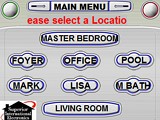 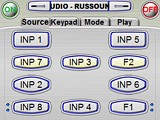
For: URC MX-3000 By: Troy Badalaty | Troy Badalaty's Whole House Remote Remote has pages for a whole house system that shares all the same components any source to any room audio and video with directed IRs. Very elobarate but works great. I have two files, one is master bed room and one is living room both will work any of the 8 zones but there. Check it out and let me know what everyone thinks! |
|
|
DirecTV DSS Receiver H10 For: URC MX-3000 By: Troy Badalaty | Part of a complete system RCC file. |
|
|
Hughes DSS Receiver/DVR HR10-250 For: URC MX-3000 By: Lee Kropp | DirecTV HD DVR with macros for 30+ channel icons. |
|
|
Network Logos - Rainor's DirecTV Channel Icons All DirecTV channel icons - 1228 in total, all resized to 52x39 and converted to GIF format. Includes all available local channels. Previews below are shown one-quarter of original size. |
For: URC MX-3000 By: Rainor2020 | |
|
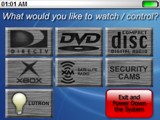 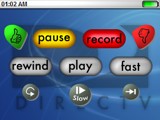
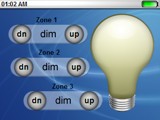
For: URC MX-3000 By: Ian Duncan | Contest Entry #17: Apple OS-mX I wanted to design an interface that had the look and feel of an Apple OS. It needed to be clean, sophisticated, and most of all easy for the end user.It is an activity based remote so the user will be "greeted" and the system will turn on with a macro. Then they will choose a source to watch, listen to, or control. All which will be done with a macro to change the Display and AV Receiver to the right input. What makes my design unique is over all look of the remote. The blue and silver colors of the GUI make great contrast with the physical look of the remote, and are aesthetically pleasing to the eye. The use of .PNG graphics is a great improvement on the original versions of URC software, and I utilized the alpha transparent graphics throughout the whole GUI. The ability to have smooth rounded edges is great and really looks slick when downloaded to the remote. I also included a camera device. In the case of using a Quad you can take a digital picture of what the camera is seeing, and have a macro set that picture up on the display in the room. It makes this easy for the end user and a good alternative to an expensive video capable touchscreen. Also included are some... (more) |
|
|
| Return to the index of all files. |