
The following page was printed from remotecentral.com:
Before you continue!This file area has been replaced with a newer one! This section is no longer being updated and is presented for archival purposes only. As it becomes increasingly out of date, some files may show as unavailable. For free access to all of these downloads and many newer ones, visit our NEW file area at: http://files.remotecentral.com
You are currently browsing through the Complete Control MX-6000, MX-3000, MX-980, MX-880 and MX-810 file area. To return to the beginning click here. |
|
|
|
|
|
Sony Television KV-27S42 For: URC MX-3000 By: Greg Francis | Part of a complete system RCC file. |
|
|
X-10 Lighting IR543AH For: URC MX-3000 By: Greg Francis | Part of a complete system RCC file. |
|
|
Yamaha Receiver RX-V592 For: URC MX-3000 By: Greg Francis | Part of a complete system RCC file. |
|
|
|
|
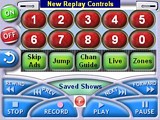 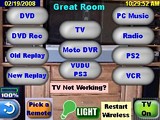
For: URC MX-3000 By: Greg Francis | Home Automation with an MX-3000 I've been a computer programmer for longer than I care to admit. It took some time to get used to the development environment for the MX-3000, but this forum helped a LOT. I'm finally posting my RCC file that controls all electronics and lights in my house, inside and out. Many of my controls for the various devices I borrowed from various posts here. I even took some digital pics my rooms and of some of my remotes to put them in the remote either as backgrounds or to use for buttons. I also tried to standardize the layout somewhat, almost every screen has a return arrow in the lower left to go to the previous screen, each room has a lights button in the middle of the bottom edge, each room has a power on/off button in the lower right, each lights screen has an All Off button. I used a lot of variables to determine which devices were on, and each light has its own variable so when it is off the slider is red and to the left, when it is on it is green and to the right. I use X-10 modules for the holiday lights and then hide those buttons during the off season. I even have a Packer G icon on the main page which brings up the schedule with buttons on each game to switch to the proper... (more) |
|
|
More results: [ < Back | Next > ]
Return to the index of all files,
or search for even more files by this author. |
|
|
Share with the remote control community
by uploading a file to Remote Central!
| 









