|
 |
Original Programs - NAD HTR Designer v2.26 For: HTM MX-1000 | NAD's software for use with the HTR-5 remote control, an OEM version of the MX-1000. This software is slightly newer than the last version of MX Designer and some users have found that it solves certain uploading difficulties. |
|
|
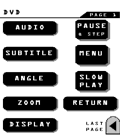 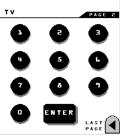
For: HTM MX-1000 By: Ian Schatz | Ian Schatz's MX-1000 File A "single touch" layout. Each of the main page buttons uses discrete codes to manage power, input, initial volume, and surround modes for the source selected. There are a few new buttons in my "more buttons" layer, but I must thank all you other contributors for most of my buttons. Even if the components don't exactly match yours, use the button layout as a template for learning your IR codes into, then do your own macros. Have fun! |
|
|
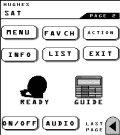 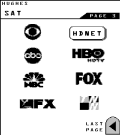
For: HTM MX-1000 By: Ben Adler | Ben Adler's Home Theater If you are setting up a new MX1000 and you have been reading this website you'll know that it can be time consuming to set it up. If any of your equipment matches mine, starting with this will save you hours of setup time! |
|
|
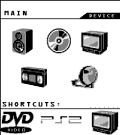 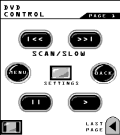
For: HTM MX-1000 By: Quinn Dunki | Quinn Dunki's Complete Setup Here's my complete setup. Everything here is controlled flawlessly by my MX-1000 (including the Bose). |
|
|
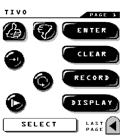 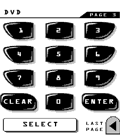
For: HTM MX-1000 By: Brett Robichaud | Brett Robichaud's System Setup Complete system for my setup. All button design credit goes to Daniel Tonks, I did nothing creative here. |
|
|
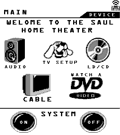 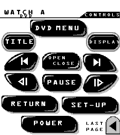
For: HTM MX-1000 By: Tom Saul | Tom Saul's MX File A complete system MX file. |
|
|
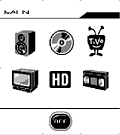 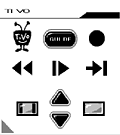
For: HTM MX-1000 By: John Corkery | John Corkery's .MX File This is an update to my previous workspace. It includes two new devices, a couple of new buttons, and a few other minor changes. As before, icons are included for Receiver, TiVo, DVD, TV, HD STB, VCR; and favorite channel icons for NBC, ABC, CBS, FOX, WB, PBS and CSN (Comcast Sports Net). Unfortunately, the icons and buttons are relatively small (but certainly useable) due to the MX-1000's memory constraints. Discrete on/off buttons are contained in a device "hidden" on the Main page; the tiny square icon is on the very left side of the page midway down. |
|
|
Button Collections - Complete Button Gallery For: HTM MX-1000 By: Robin Green | I have found a way to share a large button library with other people. It turns out that all of the buttons on the "More Buttons" tab in MX Designer 2.25 are contained in a file called "mxbutton.dat". By replacing that file, you can bring in a whole new set of buttons. I went ahead and collected all of the buttons I could find on this forum to that tab. To use it, here is what you need to do: 1) Ensure MX Designer is not running. 2) Using Windows Explorer or My Computer, go to the directory you installed Designer in. 3) Rename the existing "mxbutton.dat" file to something like "mxbutton.bak" (for backup). 4) Copy this new .DAT file to that directory. 5) Start MX-Designer. If everything goes well, the "More Buttons" tab will have all of the buttons I collected and give you quite a selection to choose from! |
|
|
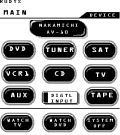 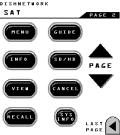
For: HTM MX-1000 By: Rudy Rousseau | Rudy Rousseau's MX-1000 File My MX file aims for simple and easy use of 6 components. I used John Corkery's buttons extensively. I did not use a Main1 page. The file includes only learned codes and macros (no preprogramed codes.)It also includes the discreet input codes and power off/on codes for the Mits WS55857 I found on this forum. |
|
|
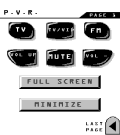 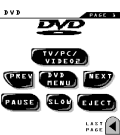
For: HTM MX-1000 By: Bill Evans | Bill Evans MX File I'm doing this only because Gregorius pleaded with MX-1000 users! My setup may be uncommon to most of you. I use an HTPC (Home Theatre PC) as the base for my system. |
|
|
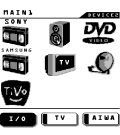 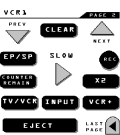
For: HTM MX-1000 By: IeraseU | IeraseU's Basic MX-1000 Layout This is a new, prettier, more fine-tuned version of the original file I posted. Now all 7 components have custom logos (6 borrowed from this site, 1 self-made). I also contributed 12 custom logos of my own (2 DSS logos, cartoon network, HBO, Showtime, CNBC, Vivid, Disney, ESPN, TechTV, Sci-Fi, E!). Did not edit the *Main* page, all editing was done on Main1 so all labels (on the left) are intact. Definitely worth a look for DSS users, and people interested in custom network logos. |
|
|
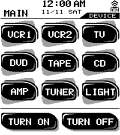 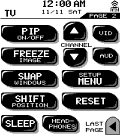
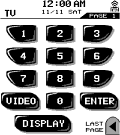 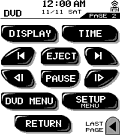
For: HTM MX-1000 By: Daniel Tonks | Daniel's MX-1000 Configuration Now in .MX format. This is my complete layout for the Home Theater Master MX-1000, featuring a totally original user interface. Contains as many new buttons as possible including main menu, transport, keypad, toggle and others. The buttons are designed for maximum visibility with white text over a black background and are sized so that one large and one small line of text can be used. This file is designed for use with the devices listed below and includes learned data, plus all of my buttons in both .BTN and .BMP format. |
|
|
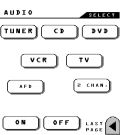 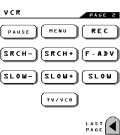
For: HTM MX-1000 By: Dustin | Dustin's MX-1000 .MX File Here is my setup for the MX-1000. Many of the buttons were "borrowed" from this forum. My goal was to make it simple. I did not use a main1 page. I just modified the main, added some channel macros, and lighting control. Then took out everything else. |
|
|
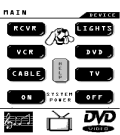 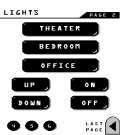
For: HTM MX-1000 By: Matt Steindl | Matt Steindl's .MX Setup I started by stripping everything out of the default model that I could, and tried to use a small number of buttons to conserve resource space. That way I could have room to upgrade when the Designer software gets a little better. |
|
|
Button Collections - John Corkery's Original Buttons These are the graphics I created for my workspace, in .BTN and .BMP format. The ZIP file contains both BMP and BTN formats. Note that MX Designer 2.25 has a bug that will reverse light and dark gray pixels on all imported .BTN files unless you open and save them in MXD's internal button editor. Previews below are shown and two-thirds original size. |
For: HTM MX-1000 By: John Corkery | |
|
More results: [ < Back | Next > ]
Return to the index of all files. |










