|
 |
Original Documentation - MX Designer v2.25 Operating Manual (v2) For: HTM MX-1000 | This manual explains exactly how to use the MX Designer computer software package to design a completely custom configuration for your MX-1000 remote. |
|
|
Original Documentation - MX Designer v2.25 Quick Start Guide For: HTM MX-1000 | This quick start guide will help you become accustomed to the new version of the MX-1000's PC software. |
|
|
Original Documentation - MX-1000 Remote Control Operating Manual For: HTM MX-1000 | The original operating manual included with the Home Theater Master MX-1000. Includes instructions on how to configure the remote without a PC connection. |
|
|
Original Documentation - MXOP v1.91 Operating Manual For: HTM MX-1000 | A manual written to explain exactly how to use the MX-1000 Operating Program (MXOP) computer software package to design a completely custom configuration. This software has been replaced by MX Designer. |
|
|
Original Programs - MX Designer v2.25 For: HTM MX-1000 | This new software replaces the previous "MX Operating System" package and utilizes a new file format, .MX. |
|
|
Original Programs - MX Designer v2.25 Operating Manual (v2) For: HTM MX-1000 | This manual explains exactly how to use the MX Designer computer software package to design a completely custom configuration for your MX-1000 remote. |
|
|
Original Programs - NAD HTR Designer v2.26 For: HTM MX-1000 | NAD's software for use with the HTR-5 remote control, an OEM version of the MX-1000. This software is slightly newer than the last version of MX Designer and some users have found that it solves certain uploading difficulties. |
|
|
For: HTM MX-1000 By: Ben Adler | Ben Adler's Home Theater If you are setting up a new MX1000 and you have been reading this website you'll know that it can be time consuming to set it up. If any of your equipment matches mine, starting with this will save you hours of setup time! |
|
|
Utilities - Button Converter v1.4 For: HTM MX-1000 By: Jeff Cooper | A utility that will convert industry-standard .BMP files to the MX-1000's .BTN format and vice versa. For best results convert your new .BMP files to four colors (RGB 255/255/255 192/192/192 128/128/128 0/0/0) first. Includes VB6 source code. |
|
|
Button Collections - John Corkery's Original Buttons These are the graphics I created for my workspace, in .BTN and .BMP format. The ZIP file contains both BMP and BTN formats. Note that MX Designer 2.25 has a bug that will reverse light and dark gray pixels on all imported .BTN files unless you open and save them in MXD's internal button editor. Previews below are shown and two-thirds original size. |
For: HTM MX-1000 By: John Corkery | |
|
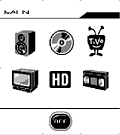 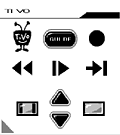
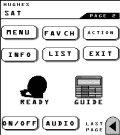
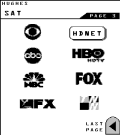
For: HTM MX-1000 By: John Corkery | John Corkery's .MX File This is an update to my previous workspace. It includes two new devices, a couple of new buttons, and a few other minor changes. As before, icons are included for Receiver, TiVo, DVD, TV, HD STB, VCR; and favorite channel icons for NBC, ABC, CBS, FOX, WB, PBS and CSN (Comcast Sports Net). Unfortunately, the icons and buttons are relatively small (but certainly useable) due to the MX-1000's memory constraints. Discrete on/off buttons are contained in a device "hidden" on the Main page; the tiny square icon is on the very left side of the page midway down. |
|
|
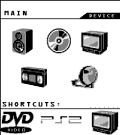 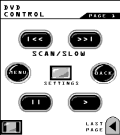
For: HTM MX-1000 By: Quinn Dunki | Quinn Dunki's Complete Setup Here's my complete setup. Everything here is controlled flawlessly by my MX-1000 (including the Bose). |
|
|
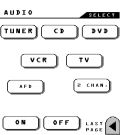 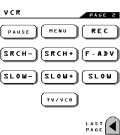
For: HTM MX-1000 By: Dustin | Dustin's MX-1000 .MX File Here is my setup for the MX-1000. Many of the buttons were "borrowed" from this forum. My goal was to make it simple. I did not use a main1 page. I just modified the main, added some channel macros, and lighting control. Then took out everything else. |
|
|
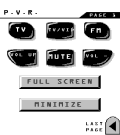 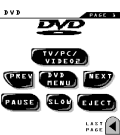
For: HTM MX-1000 By: Bill Evans | Bill Evans MX File I'm doing this only because Gregorius pleaded with MX-1000 users! My setup may be uncommon to most of you. I use an HTPC (Home Theatre PC) as the base for my system. |
|
|
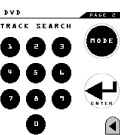 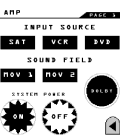
For: HTM MX-1000 By: Jim Giles | Jim Giles' Big Button MX-1000 My system consists of 5 basic devices. The most-used buttons are large, placed for easy access with the right thumb, and are uniquely shaped so that they can be identified without the need for reading glasses. I didn't try to duplicate all the buttons of each device remote, but selected only those that my family uses. All equipment is turned on/off together by a single pair of buttons located on Page 1 of each device. Includes .BMP files. |
|
|
More results: [ < Back | Next > ]
Return to the index of all files. |










