|
 |
|
|
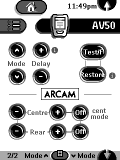 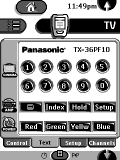
For: Philips TS-1000 By: Alex Saunders | Alex Saunders' Arcam CCF An Arcam-centered CCF file with the following devices. |
|
|
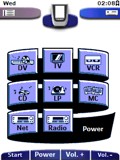 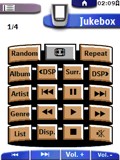
For: Philips ProntoPro By: Roger Brooks | Roger Brooks' Chad-3-ProntoPro This is an update of my previously submitted system CCF file based on CHAD graphics, constructed using Tonto. It was developed for use on an iPAQ with TV Remote Controller 5. Device selection panels are activity based, with macros. It includes graphic buttons with logos for radio and TV stations available on cable in central Switzerland, including some US, British, French, German and Austrian stations. Hard keys are mapped differently from a Pronto, but there is a hidden panel for each device to show how the mapping works. Latest changes are to the labelling panels for the DVR: a longer delay time between codes for more reliable operation and extra panels for special characters. |
|
|
Microsoft HTPC Windows Media Center Edition 2005 (Remote model 1039) For: Philips TS-1000 By: Peter Smith | CCF for control of Windows Media Center Edition 2005 as per the "out-of-the-box" Microsoft Remote. You may want to overwrite volume and mute buttons to suit your display/audio device. |
|
|
Mitsubishi Television VS-5052 (Remote model 290P035B10) For: Philips TS-1000 By: Jay Hannah | Complete codes for this television. This remote also comes with: CS-27405, CS-31203, CS-35403, CS-35403K, CS-35405, CS-35503, CS-35503MCEA, CS-40503, TS-4553, TS-4557, TS-5053, TS-5057, VS-4541, VS-4542, VS-4551, VS-4551A, VS-4552, VS-4552A, VS-5041, VS-5042, VS-5051, VS-5055, VS-5059, VS-6041, VS-6051, VS-6055. |
|
|
|
|
 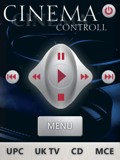
For: Philips ProntoPro NG By: Adam Nagy | Adam's Easy-To-Use PCF This file was made to be simple enough for all to use. It takes care of all the functions in my houe including my MCE PC which is used as my HTPC. Soon I will post a file which is multi room. I tried to combin all the best elements from what I have seen on here and bring it into one. It works quite well for my needs. |
|
|
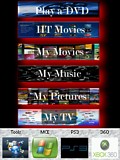 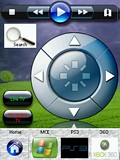
For: Philips ProntoPro NG By: Cambor | Cambor's Updated HT Configuration Since I just finished the new HT install I wanted to update the TSU7000 with a main page layout and simple to use navigation for the wife, kids and visitors:Play a DVD = Blue-Ray or DVD
My HT movies = HP Vista MCE PC "My Movies" database
My Movies = All home movies stored on the HP Vista MCE PC
My Music = All CD's stored on the HP Vista MCE PC
My Pictures = All Pictures stored on the HP Vista MCE PC
My TV = Launches DirectTV Sat and remote control ...I still have the depth of control on 2nd page navigation but used existing simple and elegant design elements from great configs here to end up with something that everyone loves. |
|
|
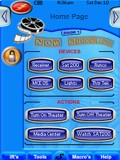 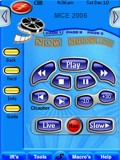
For: Philips ProntoPro NG By: Chris Fink | Chris Fink's Media Room 2006 Beta file requires a few bug fixes prior to a release: 1. Battery icon appears as black rectangle when used on hardware, not sim. 2. Page title headers (text) appear grainy (interlaced). 3. Some links and IR codes need to be fixed. |
|
|
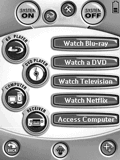 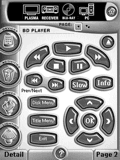
For: Philips Pronto NG By: David Abrams | David's New Home Theater System This is a complete file for my Home Theater system. It is based on Daniel Tonks' wonderful design with some additions such as my hacked Blu-ray icon. For each device I have a hidden IR page which holds all the codes available for the device. There are some saved IR pages for devices not currently in use. I have to fake discrete codes for the Samsung DVD and Blu-ray even though the Samsung plasma has them - go figure. |
|
|
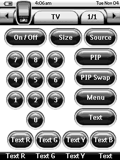 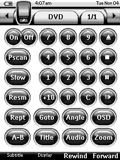
For: Philips Pronto NG By: Niclas Arndt | Kokkekat System Configuration A complete system PCF setup for the following devices. Enjoy! |
|
|
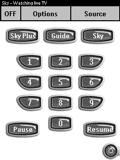 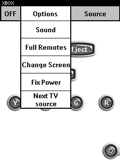
For: Philips Pronto NG By: Steve Avery | Steve Avery's PC-Style PCF PC application menu style overlays screens. Activity based. PVR activity based so curser keys control most relevent function based on whether you are watching live TV or recorded automatically. Uses Daniel's bitmaps. |
|
|
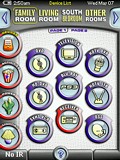 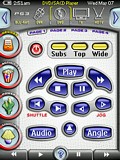
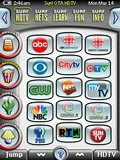 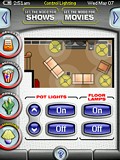
For: Philips ProntoPro NG By: Daniel Tonks | Daniel's Color TSU7000 Layout v1.06 This is it - my personal PCF file for the Philips ProntoPro NG TSU7000 color touchscreen LCD remote control. This completely original and full-screen interface is based on my black-and-white layout for the Pronto NG TSU3000, but is not merely a colorization of that design. In this version I've concentrated on making the layout quicker to navigate (no more home page), easier for others to modify, and far more versatile.Sporting 6 zones with over 42 full device configurations complete with separate code pages with discretes, this setup makes liberal use of hard buttons, a quick main task bar to the left and a sub-task/device bar on top. Also new is a status line with the time, date, battery level and device name, two buttons that can be used for page history or device switching, plus better page numbering. Additional features include Rogers VIP and HDTV digital cable and off-air HDTV television surfing guides for the Toronto, Canada area, an interactive lighting device, hard button help page and my Galaxy NG puzzle game. Included as hidden devices in this file is a gallery which includes over 1000 original graphics that can be used to completely customize this... (more) |
|
|
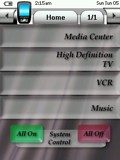 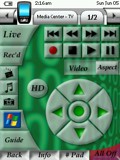
For: Philips ProntoPro NG By: Craig Nix | Craig Nix's Media Center PCF This is my first version for the TSU7000. Most of the systems I am involved with include Windows Media Centers, so you will find this one operates primarily focused on a system built around MCE 2005. If you are familiar with MCE though, you know that HDTV isn't one of it's key features, so this setup has an easy ability built in to switch back and forth from HDTV to MCE. Most artwork was designed and done by me, so be kind, but I hope you like it. First one is the hardest, stay tuned, they will get better from here. |
|
|
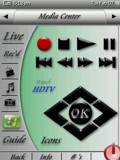 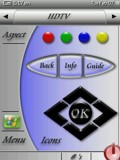
For: Philips ProntoPro NG By: Craig Nix | Craig Nix's v2.0 PCF This time around I wanted to keep it simple and clean looking. Most remotes I program are for systems utilizing Media Center computers so there is the ability to switch to MCE in every screen. Once designed in this simplified looking way though, my next challenge was to secure the program by adding in a combination lock function to get into the learning and set-up functions of the remote. If someone is to download this and try to access the programming mode of the remote, they would need to toggle the screens to the right until they get to a programming access screen and enter in the code of 2006 in the on-screen keypad. This then opens up the programming mode. Very simplistic, but it keeps a customer out of relearning a particular button on an individual screen. All button functions that the customers access reference buttons on programming/learning pages that are hidden, so that reprogramming is more simple. Enjoy! More to come.... |
|
|
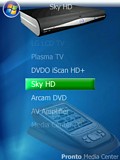 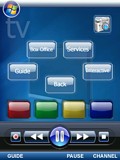
For: Philips ProntoPro NG By: Richard Deakin | Richard's Vista MCE Pronto I still have a few things to add to this but it is working pretty well at the moment. You can get to extra functions by pressing the Vista button at the top. The whole layout is sort of a Media Centre/Vista Media Centre hybrid. I find that the main screen in Vista too cluttered. All the buttons and transport controls have been drawn by hand. Hope you like it! |
|
|
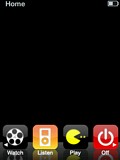 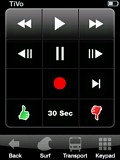
For: Philips ProntoPro NG By: Edward Lee | iPhone-esque Design This is version 1.4 of my iPhone-esque design for the ProntoPro NG, but now includes the new iPod Touch Interface! The iPhone interface is still tucked away in the PCF though for purists. During the design, I found that much of the interface needed to be modified to fit the needs of a remote control, so it's not so much a complete copy of the iPhone/iPod Touch interface, but more my interpretation. This file includes updated reflective graphics from the original version of my PCF. Also includes new battery icons and new headers. I am also including the Photoshop files of each icon set in the ZIP file for those wanting more flexibility in creating their own icons, channel buttons, transports, etc. |
|
|
More results: [ < Back | Next > ]
Return to the index of all files. |










