|
 |
|
|
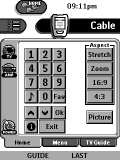 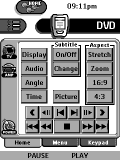
For: Philips TS-1000 By: John Sully | John Sully's Pronto This is a complete makeover of my previous CCF. It now supports the Toshiba TW40X81 television and the Pioneer PD-F19 megachanger. The TV supports some useful "magic" codes learned from a Cinema 7. |
|
|
 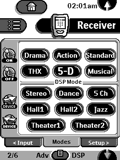
For: Philips TSU2000 By: Karen Maguire | Karen Maguire's System A complete system CCF file made up of the following devices. |
|
|
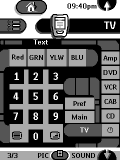 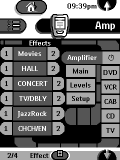
For: Philips TS-1000 By: Matthew Clayton | Matthew Clayton's Pronto Setup Star Trek PADD inspired. Black background; all keys aliased on hidden panels; advanced panel navigation with direct access to other panels. |
|
|
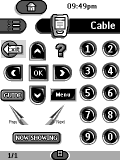 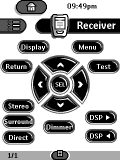
For: Philips TSU2000 By: Michael Barbalic | Michael Barbalic's Pronto CCF A complete system CCF that uses discrete codes where possible. |
|
|
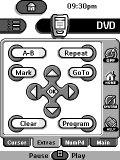 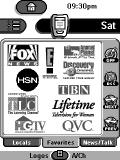
For: Philips TSU2000 By: Mike May | Mike May's Complete Pronto Finally after 2 months I have a completed CCF. This one is like so many others here with tabs at the bottom except I moved all the 'action' buttons to the right side of the screens so I could control everything with one hand. 95% of the graphics have been ripped from RemoteCentral... thanks to everyone for doing all the work. Includes CD megachanger lists, phone directory, calendar, X-10 and lots of Dish Network logos. |
|
|
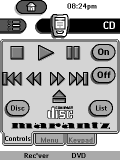 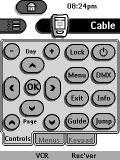
For: Philips TS-1000 By: Patrick J. Quairoli | Patrick Quairoli's Pronto CCF Devices are layed out with scroll options to the next logical device. All movement between panels completed via tabs. 100 Disc Catalog for Marantz CC870. Basic button graphics seem to look best on the LCD panel. |
|
|
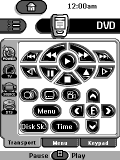 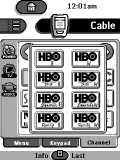
For: Philips TSU2000 By: Pete Miller | Pete Miller's User Friendly CCF I borrowed heavily from people here, and I thank you. This is a VERY user friendly yet powerful configuration. Wizards walk the user through all startup and shutdown as well as programming the VCR. I have a scroll bar for channel listings under the Cable device, with pop-up screens for the HBOs and Showtime channels, which have some custom graphics. I think the pop-up was done in an interesting way. I also used code pages so this should be easy to adapt. |
|
|
 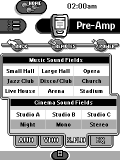
For: Philips TS-1000 By: Simon Ngan | Simon's CCF File My CCF contains a complete listing of all DVD/CD list for the changers; Discrete codes in macros for all Power On/Off operations. I also have a lot of icons (from Daniel & Dale) you may find them useful when designing your own CCF. |
|
|
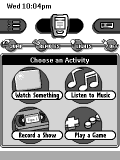 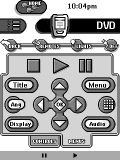
For: Philips TS-1000 By: Dale Crawford | Dale Crawford's Amazing Pronto This latest version is more streamlined for easier editing. The home panels feature an innovative "Shortcut Menu" that allows access toyour four most commonly used activities using only the two hard buttons. |
|
|
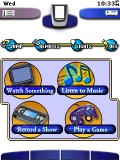 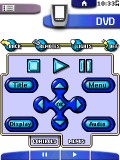
For: Philips ProntoPro By: Dale Crawford | Dale Crawford's Amazing ProntoPro This latest version is more streamlined for easier editing. The home panels feature an innovative "Shortcut Menu" that allows access to your four most commonly used activities using only the two hard buttons. |
|
|
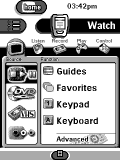 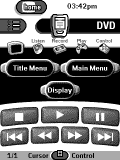
For: Philips TS-1000 By: Dale Crawford | Dale Crawford's B&W Easy Theater EasyTheater mimics a "Home Theater Operating System" by presenting a totally new activity-based navigation system. Activities feature large, standardized Pop-Up cursor and transport controls, letting you channel and menu surf without looking at the remote. Best of all, EasyTheater makes customization a snap for experienced CCF programmers. Comes with an illustrated manual to guide customization. Includes versions optimized for TS-1000, TSU2000, RC5000, RC5000i, 940, and a separate "low-memory version" for Pronto TS-1000. Also, see the other files areas for large-screen or color versions! |
|
|
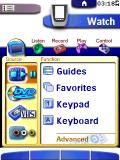 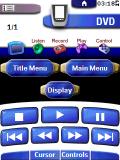
For: Philips ProntoPro By: Dale Crawford | Dale Crawford's EasyTheater v1.3 EasyTheater mimics a "Home Theater Operating System" by presenting a totally new activity-based navigation system. Color-coded activities feature large, standardized Pop-Up cursor and transport controls, letting you channel and menu surf without looking at the remote. The graphical style compliments the ProntoPro interface for a unified appearance. Best of all, EasyTheater makes customization a snap for experiences CCF programmers. Comes with an illustrated manual to guide customization. Also, see the grayscale files area for a grayscale version! |
|
|
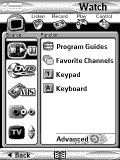 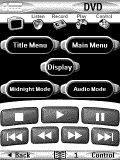
For: Marantz RC5200 By: Dale Crawford | Dale Crawford's Large Screen Easy Theater EasyTheater mimics a "Home Theater Operating System" by presenting a totally new activity-based navigation system. Activities feature large, standardized Pop-Up transport controls, letting you pause, fast-forward, rewind, and play without looking at the remote. Best of all, EasyTheater makes customization a snap for experienced CCF programmers. Comes with an illustrated manual to guide customization. Includes versions optimized for Marantz RC5200, and a separate version that allows cursor-pad navigation of the EasyTheater menus. |
|
|
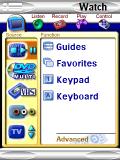 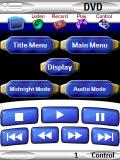
For: Marantz RC9200 By: Dale Crawford | Dale Crawford's RC9200 EasyTheater v1.3 EasyTheater mimics a "Home Theater Operating System" by presenting a totally new activity-based navigation system. Color-coded activities feature large, standardized Pop-Up transport controls, letting you control playback without looking at the remote. Best of all, EasyTheater makes customization a snap for experienced CCF programmers. Comes with an illustrated manual to guide customization. Includes versions optimized for Marantz RC9200 and RC5200, with a separate version for RC5200 to allow cursor-pad navigation of the EasyTheater menus. |
|
|
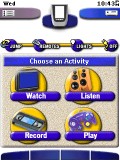 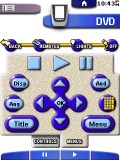
For: Philips ProntoPro By: Dale Crawford | Dale Crawford's Second ProntoPro This color CCF uses the concepts of my original CCF, but has a new 3-D style for the graphics designed to compliment the existing ProntoPro interface. (If you prefer a "harder" look, check out my Version A color CCF.) All tabs are now the same width and height for easier editing. And this time, the font you see is a TrueType font (Vonnes Extrabold Condensed). The home panels feature an innovative "Shortcut Menu" that allows access to your four most commonly used activities using only two hard buttons. What appears as multiple copies of the same device actually allows easy scrolling using the hard buttons. |
|
|
More results: [ < Back | Next > ]
Return to the index of all files. |










