
The following page was printed from RemoteCentral.com:
Downloading RC-CEDIA06-1280-23.mp4... Use the link in the box below to save this file!
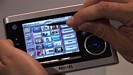
| Title: | 2006 CEDIA Virtual Tour (HD 720p) |
| Posted: | October 27, 2006 |
|  |
| Length: | 08:24 |
| Resolution: | 1280×720 |
| Format: | MPEG-4 AVC/AAC |
| Size: | 189.02mb |
| Views: | 37,380 |
| Downloads: | 2,788 |
| Donate: | Help keep our files free! |
|
|
To download, right-click here and select "Save Target As".
How do I play .MP4 files?
If you're having difficulty finding something to play MPEG-4 video files locally on your computer, we recommend that you install VLC Media Player. VLC is open-source software that can play all sorts of advanced video formats without requiring you to install codecs. Versions are available for Windows, Mac, Linux, plus other operating systems.
Windows and Mac users can try Apple Quicktime. Alternatively, advanced Windows users can install the ffdshow tryouts codec and Haali Media Splitter to enable standard media players to handle .MP4 files.
| 









