The following page was printed from RemoteCentral.com:
Before you continue!
This file area has been replaced with a newer one! As of 2011, this section is no longer being updated, and some files may show as unavailable. For free access to all of these downloads and many newer ones, visit our NEW file area at: http://files.remotecentral.com
You are currently browsing through the Philips Pronto NG TSU3000, TSU3500, RU950, RU960, ProntoPro NG TSU7000, TSU7500, RU980, RU990, Marantz RC5400 & RC9500 file area. To return to the beginning click here.
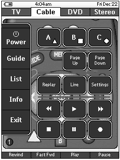
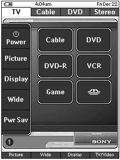
This is my first configuration. I did not use any graphical elements from the Daniel Tonks remote that I'm aware of. Don't get me wrong, it's a nice remote but I wanted to try to create something original. My graphics may look dark but they have to be to show up on the TSU3000 (i.e they're not that dark on the remote). Like many of the configurations here, I created a hidden page of codes for every device then linked the buttons to the code pages. I learned the codes for every button on every remote that pertained to the device regardless of whether or not I intended to use it in my design. I thought that if by chance I had a remote that someone was looking for that they might appreciate having the entire remote. Most of my devices have two or three GUI pages. At the top are tabs with devices related to each other. The white tab indicates the current page and the dark tabs are buttons to switch to the other devices. On the left side of each screen is a block of common buttons that carry over to each page. In the middle is a graphic that I created and what I would consider rather large, simple buttons that are easy for me to press. See the readme.txt file for more details.